n8n Self-Hosted: The Complete Guide to Running Your Own Automation Server
Run n8n self-hosted for free with Docker or npm. Step-by-step setup guide plus pre-built workflow templates ready to import into your instance.
Already running n8n self-hosted?
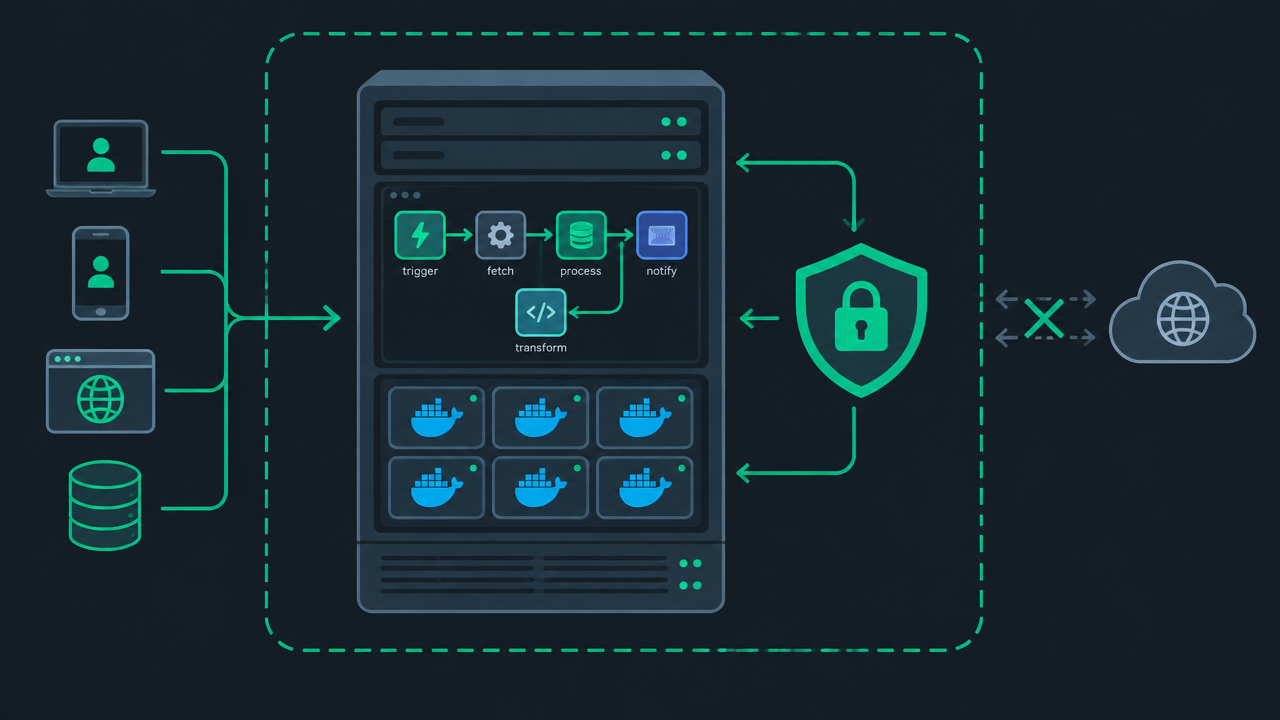
Import a Ready-Made Workflow TemplateIf you've been using no-code automation tools and started running into monthly execution caps, rising subscription costs, or concerns about where your business data actually lives, you've probably come across the term "n8n self-hosted." Running n8n self-hosted means installing the free, open-source n8n Community Edition on your own server instead of paying for n8n Cloud — giving you full control over your data, no execution limits, and zero monthly fees beyond whatever you're already paying for hosting.
This is the single biggest reason n8n has become the go-to tool in n8n automation circles for developers, privacy-conscious teams, and anyone running high-volume workflows: unlike Zapier or Make, which charge per task or per operation, self-hosted n8n lets you run as many workflows, as many times, as your server can physically handle — for the price of a cheap VPS.
This guide covers everything you need to get n8n self-hosted running in production: installation methods (Docker, npm, and Docker Compose), a full comparison against n8n Cloud, hosting provider recommendations, security and backup practices, common troubleshooting issues, and — once you're up and running — a library of ready-to-import workflow templates so you're automating within minutes of finishing setup, not days.
Whether you're a solo developer automating your own side project, a startup trying to avoid per-task pricing as you scale, or an agency building automation for clients, this guide will get you from zero to a fully functioning self-hosted n8n instance — and once it's running, our n8n workflow marketplace has ready-to-import templates so you're not starting from a blank canvas.
What Does "Self-Hosted" Actually Mean?
Before diving into installation, it's worth being precise about what self-hosting n8n actually involves, because the term gets used loosely. Self-hosting means you are running the n8n application on infrastructure you control — this could be:
- A cloud VPS (DigitalOcean, Hetzner, Linode, AWS EC2, etc.)
- A home server or Raspberry Pi
- A local machine for development/testing
- An on-premises server inside your company's own data center
- A container orchestration platform like Kubernetes
In every one of these cases, you (not n8n the company) are responsible for keeping the server running, applying updates, managing backups, and securing access. In exchange, you get the Community Edition of n8n completely free, with no artificial limits on workflow executions, no per-task billing, and full ownership of every byte of data that flows through your workflows.
This is fundamentally different from n8n Cloud, where n8n's own infrastructure team handles all of that for you — at a price. Because n8n is open source, you're never locked into either option; the same workflow files run on both.
n8n Self-Hosted vs n8n Cloud: Full Comparison
This is usually the first real decision point for anyone evaluating n8n, so it's worth breaking down in detail rather than a single-line summary.
| Factor | Self-Hosted (Community Edition) | n8n Cloud |
|---|---|---|
| Cost | Free forever — you only pay for hosting (VPS from ~$5–10/mo) | Subscription tiers based on monthly execution volume |
| Execution limits | None — limited only by your server's CPU/RAM | Capped by plan tier (a fixed number of workflow executions per month) |
| Data control | Full — all data stays on infrastructure you control | Data is processed and stored on n8n's cloud servers |
| Setup effort | You install, configure, and maintain everything | Zero setup — account creation is all that's needed |
| Maintenance | You apply updates, monitor uptime, manage backups | Fully handled by n8n's team |
| Custom code | Unrestricted Function/Code node execution | May have restrictions depending on plan |
| Community nodes | Install any community-built node freely | Limited or requires specific plan tiers |
| Scaling | Scale your own server resources as needed (vertical or horizontal) | Scale by upgrading your plan |
| Uptime responsibility | Yours — if your server goes down, so does n8n | n8n's SLA-backed infrastructure |
| Enterprise features | Some (SSO, advanced permissions, audit logs) reserved for paid self-hosted licenses | Available on higher Cloud tiers |
| Best for | Developers, privacy-conscious teams, high-volume automation, cost-sensitive users, anyone wanting full ownership | Teams wanting zero DevOps overhead who are fine paying a premium for convenience |
| Support | Community forum, self-serve official docs | Community forum plus paid support on higher tiers |
| Time to first workflow | 5–30 minutes depending on install method | Under 5 minutes |
For the cost side of the equation, see our pricing guide for a full breakdown of what each option actually costs month to month.
When Self-Hosting Makes Sense
Self-hosting is the clear winner if any of the following apply to you:
- You're running high-volume automations (thousands of executions per day) where Cloud's execution caps would force you onto an expensive plan
- Your workflows touch sensitive data (customer PII, financial records, health data) and you need to guarantee it never leaves your own infrastructure
- You're comfortable with basic server administration, or have a team member who is
- You want to install community or custom nodes that may not be available on Cloud
- Budget is a real constraint and you're willing to trade a bit of setup time for long-term savings
When n8n Cloud Makes More Sense
Cloud is the better fit if:
- You want to be automating within minutes, with zero server management
- You don't have anyone on your team comfortable with Docker, Linux, or basic DevOps
- Your automation volume is modest and comfortably fits within a Cloud plan's limits
- You value having a vendor-backed SLA and dedicated support over cost savings
- You'd rather pay a predictable monthly fee than deal with unpredictable hosting/maintenance overhead
Prerequisites Before You Start
Before installing n8n self-hosted, make sure you have:
- 1
A server or machine to run it on — this can be a $5/mo VPS, a home server, or your local machine for testing
- 2
Docker installed (if going the Docker route) — the recommended and most widely supported method
- 3
Node.js 18.17 or later (if going the npm route)
- 4
A domain name (optional but recommended for production) — needed if you want to use webhooks reliably and access n8n over HTTPS
- 5
Basic command-line comfort — you don't need to be a sysadmin, but you should be comfortable running terminal commands and editing a config file
If you're just testing n8n to see if it fits your needs, running it locally with Docker or npm is the fastest path. If you're planning to run it in production for real automations, you'll want a VPS with a domain name pointed at it.
Choosing a Hosting Provider
Since n8n itself is free, your only real cost is the server it runs on. Here's how the popular options stack up for a typical n8n self-hosted setup:
| Provider | Starting Price | Notes |
|---|---|---|
| Hetzner | ~€4.5/mo | Excellent price-to-performance ratio, popular in the self-hosting community |
| DigitalOcean | ~$6/mo | Simple UI, great documentation, one-click Docker droplets available |
| Linode (Akamai) | ~$5/mo | Reliable, straightforward pricing |
| AWS EC2 | Variable (t3.micro often free-tier eligible) | More complex, but useful if you're already in the AWS ecosystem |
| Oracle Cloud Free Tier | Free (with limits) | Genuinely free compute available, popular for hobbyist self-hosting |
| Raspberry Pi / home server | One-time hardware cost | Zero ongoing cost, but requires your own uptime/networking setup |
For most people getting started, a basic 1–2 vCPU, 2GB RAM instance from Hetzner or DigitalOcean is more than sufficient to run n8n comfortably for personal or small business use. You can always scale up later as your automation volume grows.
Quick-Start: Installing n8n Self-Hosted
There are three main ways to get n8n self-hosted running. Pick the one that matches your comfort level and use case.
Option 1 — Docker (Recommended)
Docker is the most widely used and best-documented way to run n8n self-hosted. It handles dependencies automatically and makes updates simple. This section follows the same steps as n8n's official Docker installation docs, condensed for a quick start.
Quick test run (data won't persist after container removal):
docker run -it --rm \
  --name n8n \
  -p 5678:5678 \
  docker.n8n.io/n8nio/n8n
Persistent setup (recommended — data survives restarts):
docker run -it -d \
  --name n8n \
  -p 5678:5678 \
  -v n8n_data:/home/node/.n8n \
  docker.n8n.io/n8nio/n8n
This pulls the latest n8n image, exposes it on port 5678, and persists your workflow data, credentials, and settings in a named Docker volume so nothing is lost if the container restarts or the image is updated.
Once the container is running, visit http://localhost:5678 (or your server's IP/domain on port 5678) to complete the initial owner account setup.
Option 2 — npm
If you'd rather run n8n directly with Node.js without Docker:
npm install n8n -g
n8n start
This requires Node.js 18.17+ installed on your machine. Once started, n8n is available at http://localhost:5678. This method is often preferred by developers who want to modify or debug n8n's source directly, or who are running it purely for local development.
Option 3 — Docker Compose (Production-Ready)
For anything beyond casual testing, Docker Compose with a proper PostgreSQL database (instead of the default SQLite) is the recommended production setup. This gives you better performance under load, easier backups, and a setup that's simpler to scale later. A production Docker Compose file typically includes:
- The n8n service itself
- A PostgreSQL service for the database
- Environment variables for webhook URLs, timezone, encryption key, and basic auth
- Volume mounts for persistent data
Setting the N8N_ENCRYPTION_KEY environment variable explicitly (rather than letting n8n auto-generate one) is important in production — this key encrypts your stored credentials, and losing it means losing access to every saved credential if you ever need to restore from backup on a new machine. See our Docker production setup guide for a complete, ready-to-copy configuration, including a PostgreSQL service definition.
Option 4 — Reverse Proxy Setup (for HTTPS)
If you're exposing n8n to the internet (which you'll need to do for webhooks to work reliably from third-party services), you'll want to put it behind a reverse proxy like Nginx, Caddy, or Traefik to handle HTTPS via Let's Encrypt. Caddy is often recommended for self-hosters because it handles automatic HTTPS certificate provisioning with minimal configuration — often just a few lines pointing your domain at the n8n container's port.
What You Get With Self-Hosted n8n
Once your instance is running, here's the practical difference you'll notice compared to a capped Cloud plan:
- No execution limits — run as many workflows, as many times, as your server's CPU and memory allow. There's no monthly counter ticking down.
- Full data ownership — every webhook payload, API response, and piece of customer data that flows through your workflows stays on infrastructure you control. Nothing is logged or stored on third-party servers.
- All community nodes available — the n8n community has built hundreds of additional integration nodes beyond the official list. Self-hosted instances can install any of them freely.
- Unrestricted custom code execution — the Function and Code nodes let you run arbitrary JavaScript or Python. On self-hosted instances, there are no artificial restrictions on what this code can do (beyond your own server's permissions).
- No vendor lock-in — your workflows are stored as portable JSON files. You can export everything, move to a different server, or fork n8n itself if you ever needed to, since it's open source.
- Custom environment variables and integrations — you can configure n8n to talk to internal, non-public APIs and services on your own network in ways that aren't possible from a cloud-hosted instance.
Security Best Practices for Self-Hosted n8n
Because you're responsible for your own infrastructure, security is worth taking seriously from day one rather than as an afterthought.
- 1
Always use HTTPS in production. Never expose the raw n8n instance over plain HTTP to the internet — use a reverse proxy with a valid SSL certificate.
- 2
Set a strong, unique encryption key. Don't rely on the auto-generated default; set N8N_ENCRYPTION_KEY explicitly and store it somewhere safe (a password manager, not just a config file on the same server).
- 3
Enable basic authentication or SSO on your n8n instance if it's internet-facing, especially before you've created your owner account.
- 4
Keep n8n updated. Security patches and bug fixes ship regularly — pin to a specific version in production, but review and apply updates on a regular schedule rather than never touching it.
- 5
Restrict webhook exposure where possible. If a workflow's webhook doesn't need to be public, put it behind authentication or IP allowlisting.
- 6
Back up your database and encryption key together. A database backup without the matching encryption key is useless for restoring credentials.
- 7
Run n8n as a non-root user inside its container/environment where possible, following the principle of least privilege.
If any of this feels like more than you want to manage yourself, our get the full template library service can set this up for you.
Backups and Disaster Recovery
Because n8n Cloud handles backups for you automatically, this is one of the genuine trade-offs of self-hosting that's worth being deliberate about. At minimum, you should be backing up:
- Your database (PostgreSQL or SQLite file) — this contains all your workflows, credentials (encrypted), and execution history
- Your N8N_ENCRYPTION_KEY — without this, your encrypted credentials in the database backup are unrecoverable
- Any custom node installations or configuration files
A simple, reliable approach for most self-hosters is a nightly automated database dump (using pg_dump for PostgreSQL setups) pushed to an off-server location like S3, Backblaze B2, or another VPS. For workflow-level safety, you can also periodically export individual workflows as JSON files, which gives you a portable, human-readable backup independent of your database.
Common Troubleshooting Issues
A few issues come up repeatedly for people newly self-hosting n8n:
Webhooks aren't triggering from external services. This is almost always because n8n is running locally or behind a firewall without a publicly accessible URL, or because WEBHOOK_URL isn't set correctly to match your public domain. External services need a real, reachable HTTPS URL to send webhook payloads to.
"Unauthorized" errors after restarting the container. Usually caused by the encryption key changing between restarts (if it wasn't explicitly set and was auto-generated fresh each time) or by the persistent volume not being mounted correctly, wiping saved credentials.
High memory usage over time. Long-running workflows with large data payloads, or a high volume of stored execution history, can gradually increase memory usage. Setting execution data pruning (EXECUTIONS_DATA_PRUNE) to automatically clean up old execution logs helps keep resource usage stable.
SQLite performance degrading under load. The default SQLite database is fine for light personal use, but if you're running many workflows or have a team using the instance, migrating to PostgreSQL is strongly recommended for both performance and reliability.
Migrating From n8n Cloud to Self-Hosted (or Vice Versa)
A common path is starting on n8n Cloud to test the waters, then migrating to self-hosted once usage grows and the Cloud execution caps start to bite — or the reverse, starting self-hosted and later moving to Cloud for reduced maintenance overhead.
The good news: because workflows are portable JSON, migration in either direction is generally straightforward:
- 1
Export each workflow from your source instance as JSON (or use the built-in export-all option)
- 2
Re-create your credentials on the destination instance (credentials themselves don't transfer for security reasons — you'll need to re-enter API keys, OAuth connections, etc.)
- 3
Import the workflow JSON files into the destination instance
- 4
Test each workflow to confirm the correct credential is mapped, then re-enable any that were previously active
Because your data stays as standard JSON, you're never locked into either hosting option permanently — which is one of the underrated advantages of choosing n8n over more closed automation platforms.
Scaling Self-Hosted n8n
For most individuals and small teams, a single VPS running the default setup is more than sufficient. But if you're running high-volume, time-sensitive automations, n8n supports a queue mode using Redis and multiple worker processes, letting you horizontally scale execution capacity across several machines. This is generally only necessary once you're running a genuinely high volume of concurrent, resource-intensive workflows — most self-hosters never need to go beyond a single well-provisioned server.
Ready to Start Automating
Once your self-hosted instance is up and running, the fastest way to get real value out of it is importing pre-built workflows rather than building every automation from scratch. Browse our library of n8n templates — every template works on self-hosted instances and imports in seconds, whether you're automating AI agent workflows, CRM syncing, lead generation, or internal notifications.
Prefer not to manage the server yourself? Our get the full template library service handles setup, security hardening, and ongoing maintenance for you.
Frequently Asked Questions
Is n8n free if self-hosted?
Yes. The n8n Community Edition is free and open-source under a fair-code license. You can self-host it indefinitely at no cost beyond your own server or hosting expenses. There's no execution cap, no forced upgrade prompt, and no trial period on the core product — it's free for genuine, ongoing production use.
Can I self-host n8n for free forever?
Yes — the Community Edition has no time limit or feature expiration built in. Some advanced features, like certain enterprise SSO options, advanced user permissions, and audit logging, are reserved for paid self-hosted licenses or Cloud plans, but the core automation engine, unlimited workflows, and unlimited executions remain free permanently.
What are the limitations of self-hosted n8n?
The main trade-off is responsibility: you handle your own updates, backups, uptime monitoring, and security hardening — none of this is managed for you the way it is on Cloud. You'll also need basic comfort with Docker, npm, or general server administration. A handful of enterprise-tier features (advanced permissions, SSO, dedicated support) aren't included in the free Community Edition.
Do self-hosted n8n templates work the same as on n8n Cloud?
Yes — templates are portable JSON workflow files that import identically on both self-hosted and Cloud instances. The only real difference is which credentials and integrations you've already configured on your specific instance.
What's the minimum server I need to self-host n8n?
A basic VPS with 1GB RAM is enough to get started for light personal use; 2GB or more is recommended if you're running multiple workflows concurrently or expect higher execution volume.
Is self-hosted n8n harder to set up than Zapier or Make?
Yes, meaningfully — Zapier and Make require no server setup at all since they're fully cloud-hosted by design. Self-hosting n8n trades that convenience for cost savings and control, requiring a basic server setup step that platforms like Zapier simply don't need.
Can I switch from self-hosted to n8n Cloud later without losing my workflows?
Yes. Workflows can be exported as JSON and imported into a Cloud instance. You will need to re-enter your credentials (API keys, OAuth connections) on the new instance, since credentials don't transfer automatically for security reasons.
Does self-hosted n8n require a credit card or account with n8n?
No — you can download, install, and run the Community Edition entirely for free with no account creation or payment details required. An n8n.io account is only needed if you're purchasing a paid license or using n8n Cloud.
How do I update a self-hosted n8n instance?
If you're running via Docker, updating is typically as simple as pulling the latest image and restarting the container with your existing persistent volume attached, which preserves all your data. It's good practice to review the official release notes before updating a production instance in case of breaking changes.
Can multiple people use the same self-hosted n8n instance?
Yes — the Community Edition supports multiple user accounts, though advanced role-based permissions and team management features are more developed on paid plans and Cloud.
Your server is ready — now put it to work.
Import a proven workflow template and have your first automation running in minutes, not days.
Browse n8n Templates