n8n Expert for Custom Business Automation
Build reliable n8n workflows that connect your apps, APIs, databases, AI tools and business processes.
Need an n8n Expert?
Talk to an n8n Expertn8n is powerful, but reliable workflows get complicated once multiple apps, APIs, databases, webhooks and business rules have to work together. n8n Markets helps businesses turn repetitive processes into practical, maintainable automations — either with n8n workflow development from a vetted expert, or by adapting n8n workflow templates you can deploy today.
What Is an n8n Expert?
An n8n expert is an automation specialist who turns a manual, repetitive business process into a workflow that runs on its own. Instead of copying data between a form, a CRM, a spreadsheet and an inbox, the workflow does it — reliably, and with a record of every execution.
The work is part process design and part engineering: understanding how your business actually operates, then implementing that logic with nodes, webhooks, API calls and error handling that survives real-world data.
Why Businesses Use n8n
n8n is open-source and self-hostable, so your data can stay on your own infrastructure. It handles branching, loops and custom code, which means complex business rules do not have to be flattened into a simple trigger-action chain.
It also connects to almost anything: hundreds of native app nodes plus an HTTP Request node for any REST API. That combination is why teams move to n8n when they outgrow simpler tools.
- Self-hosted or cloud — you choose where data lives
- Complex logic: branches, loops, retries, custom code
- Connects native app nodes and any REST API
- Workflows are inspectable, versionable and maintainable
What Can an n8n Expert Automate?
Most automation requests fall into a handful of patterns. If your process involves moving information between systems, reacting to an event, or producing a report on a schedule, it can usually be automated.
- Connecting CRM, email, forms, databases and other business tools
- Lead collection, routing and follow-up sequences
- Notifications and internal alerts
- Moving and synchronising data between platforms
- Webhook and API-based automations
- Reporting and scheduled data processing
- AI-powered workflows
- Improving and troubleshooting existing workflows
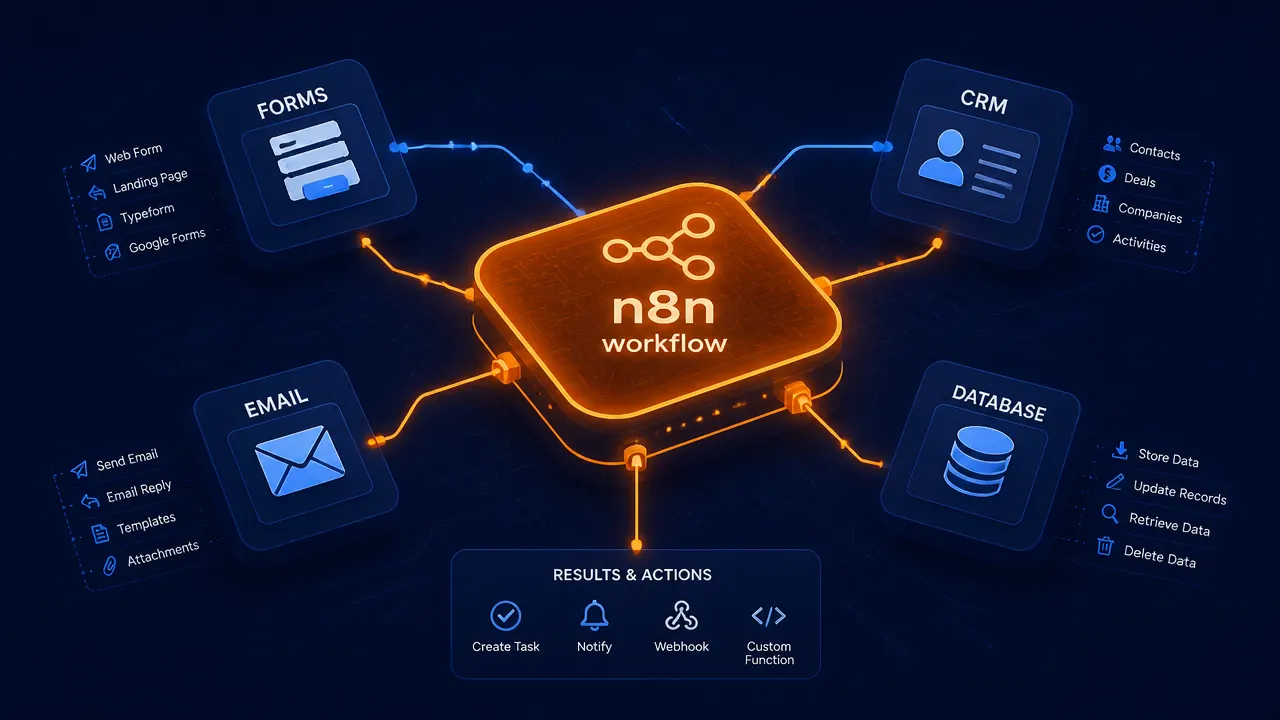
Custom n8n Workflow Development
Every business runs a slightly different process, so an off-the-shelf template rarely fits end to end. Custom n8n workflow development starts from your requirement: which trigger starts the process, what decisions happen along the way, what data has to be transformed, and what should happen when something fails.
If you would rather start from something proven and adapt it, browse the ready-made n8n workflow templates first and bring an expert in for the parts that need changing.
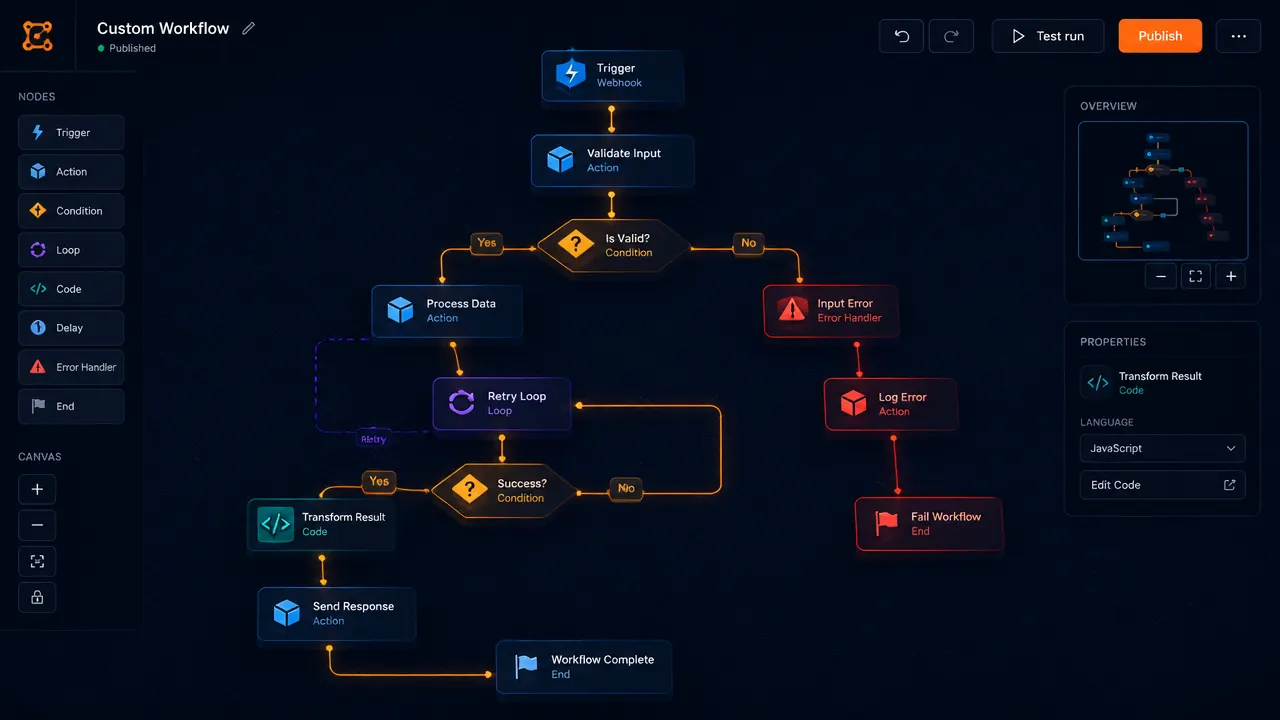
n8n API Integrations
API work is where automation projects usually get stuck: authentication, pagination, rate limits, retries and inconsistent payloads. An expert handles those details so the workflow keeps running when an API is slow or returns an unexpected response.
Typical integration work covers incoming webhooks, outbound REST calls, credential management and mapping fields between systems that never agreed on a data format.
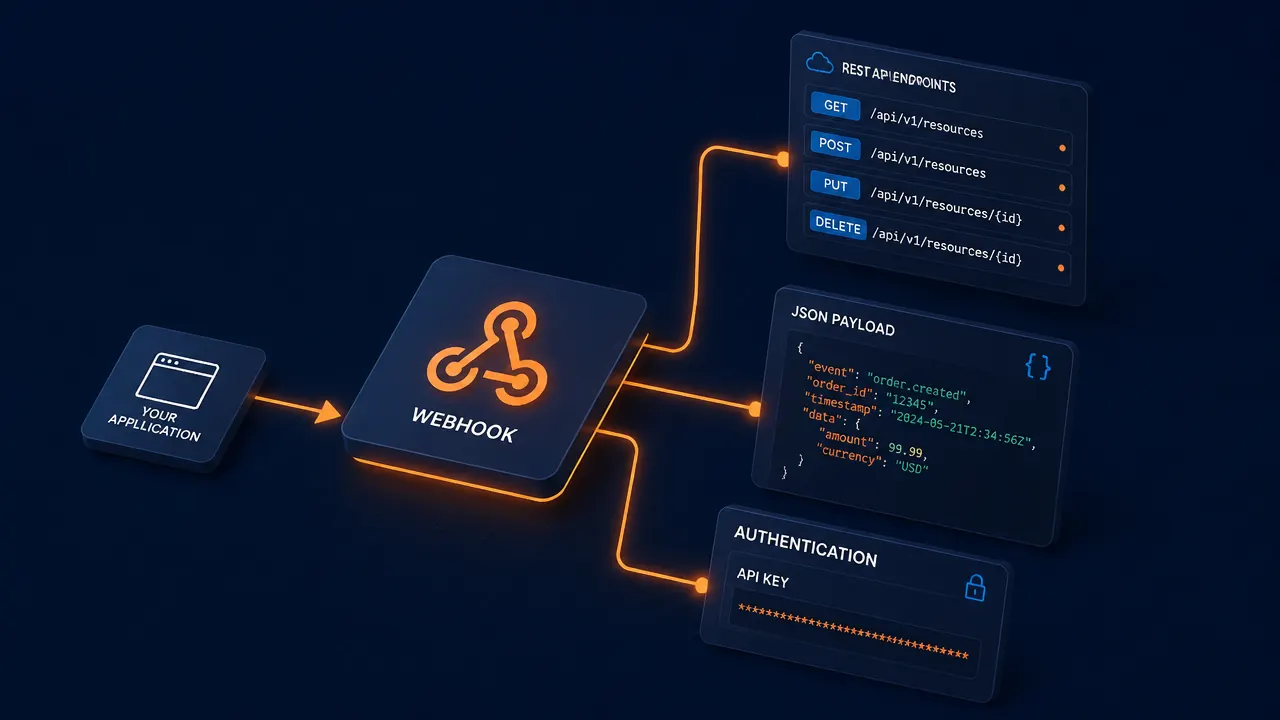
AI Automation
AI nodes let a workflow classify an incoming message, summarise a document, extract structured fields from messy text or draft a reply — then pass the result on to your CRM, helpdesk or database.
For questions that need your own knowledge base, a retrieval step with a vector store can be added before the model call. An MCP server setup lets AI agents trigger your workflows directly.
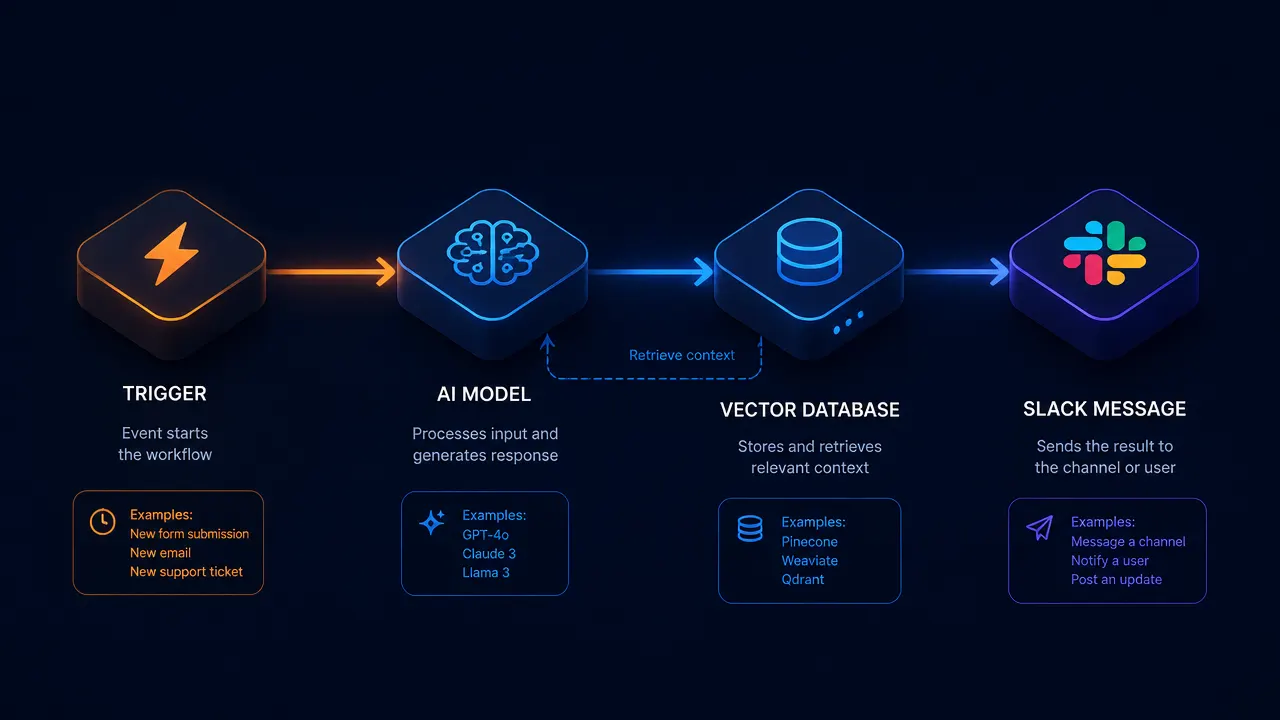
CRM & Lead Automation
A new lead can move from a website form into your CRM, receive an email, notify the sales team and enter a follow-up sequence — without anyone re-typing the information between systems.
The same pattern covers deal-stage updates, enrichment, deduplication and syncing contacts between a CRM and the tools your team uses every day.
n8n Workflow Setup
Setup covers the environment as much as the workflow: self-hosted installation, environment variables, credential storage, public webhook URLs, queue mode for higher execution volume, backups and a plan for upgrades.
Getting this right early is what prevents workflows that work in testing and then fail quietly in production.
n8n Troubleshooting
If you already use n8n and a workflow is slow, unreliable or throwing errors, an expert can review the setup and find the cause — a credential that expired, an API that changed, missing validation on incoming data, or a node chain that has no retry path.
Fixes usually involve adding error branches, retries with backoff, validation and alerting so failures are visible instead of silent.
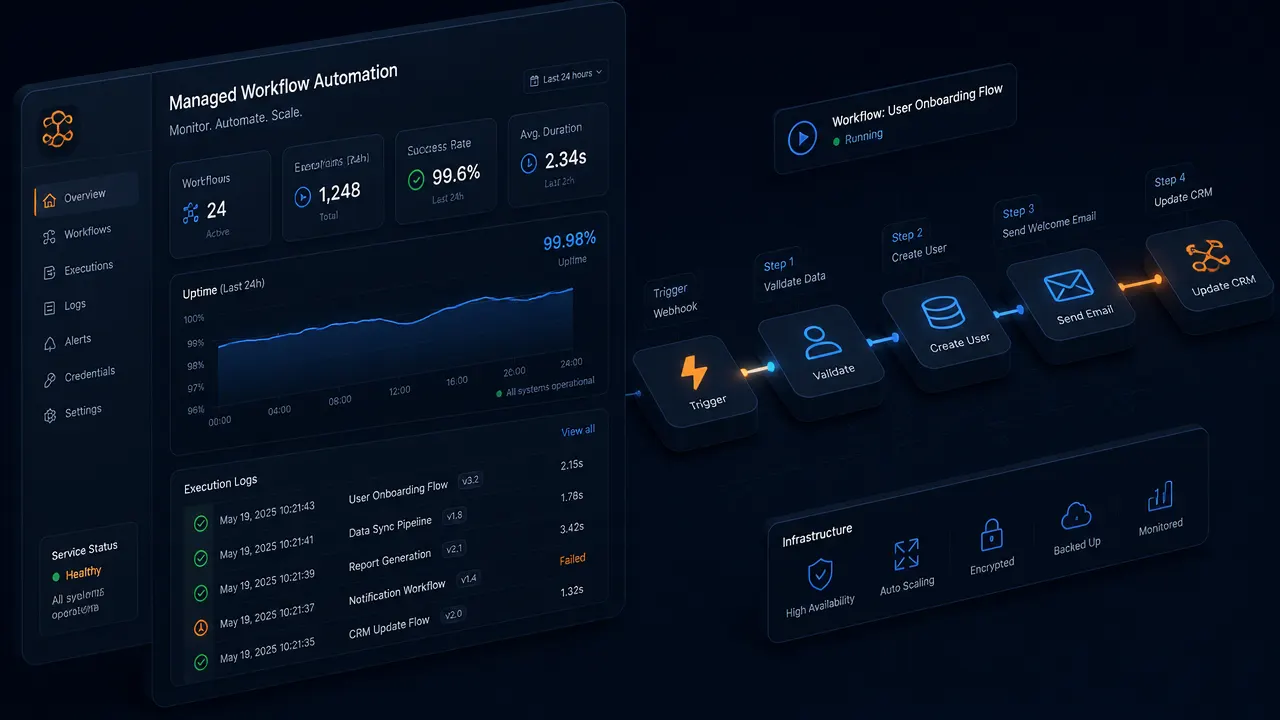
n8n Managed Automation
Automation is not finished at launch. Managed support covers monitoring executions, responding to failures, adapting workflows when an API or business rule changes, and extending automations as the process grows.
Have an existing n8n workflow that isn't working properly?
Get Workflow HelpUse Cases
- Website form submissions routed into the CRM with owner assignment
- Order and payment events synced to accounting and fulfilment tools
- Support tickets classified and escalated automatically
- Daily or weekly reports assembled from several data sources
- Internal Slack or email alerts when a threshold is crossed
- Data synchronised between a database and SaaS tools on a schedule
Agencies running the same process across many clients can also read our guide to n8n automation services for agencies, or set up an n8n MCP server so AI agents can run your workflows.
How It Works
- 1
Share your requirement
Tell us what you do manually today, which tools you use and what you want automated.
- 2
Workflow plan
An expert maps the trigger, logic, integrations and failure paths, then confirms scope with you.
- 3
Build and test
The workflow is built, tested with real data and reviewed against the process it replaces.
- 4
Deploy and support
The automation goes live with monitoring, and can be extended as the process changes.
Why n8nMarkets
n8n Markets brings the two halves of automation together: a marketplace of ready-to-import n8n workflow templates and a directory of automation experts who build and maintain custom workflows. Start from a template, hire for the custom parts, and keep the same platform for ongoing work. Fees are set out on our pricing page.
Frequently Asked Questions
What is an n8n expert?
An n8n expert is an automation specialist who designs, builds and maintains workflows in n8n — connecting apps, APIs, databases and AI models so manual processes run automatically.
What does an n8n expert do?
They map your manual process, design the workflow logic, build and test the nodes, handle credentials and webhooks, add error handling and retries, then deploy and monitor the automation.
How much does an n8n expert cost?
Cost depends on scope. A single integration is a small fixed-scope project, while a multi-system automation with error handling and monitoring takes longer. Experts on n8n Markets quote per project or hourly after reviewing your requirement.
Can an n8n expert build custom workflows?
Yes. Custom workflows are built around your own process rather than a fixed template, including branching logic, loops, data transformation and custom code nodes where visual nodes are not enough.
Can n8n connect APIs?
Yes. n8n has hundreds of native app nodes, plus an HTTP Request node that can call any REST API with custom authentication, headers and pagination. Incoming webhooks let external systems trigger your workflows.
Can n8n automate CRM processes?
Yes. Typical CRM automations create or update contacts and deals, route new leads to the right owner, sync records between the CRM and other tools, and trigger follow-up emails or internal alerts.
Can n8n be used for AI automation?
Yes. n8n can call AI models inside a workflow to classify, summarise, extract or draft content, and combine that with a vector database for retrieval-based answers before passing the result to another system.
Can you fix an existing n8n workflow?
Yes. An expert can review an existing workflow, find the cause of failed executions, and improve reliability through better error handling, retries, credential setup and data validation.
Can you help with n8n setup?
Yes — including self-hosted installation, environment and credential configuration, webhook URLs, queue mode for higher volume, backups and upgrade planning.
How do I hire an n8n expert?
Describe what you do manually today, which tools you use and what you want automated, then post the project or browse the expert directory on n8n Markets and start the conversation.
Ready to automate your business?
Tell us what you do manually today and which tools you use — we'll help you work out what to automate first.
Start Your Automation Project