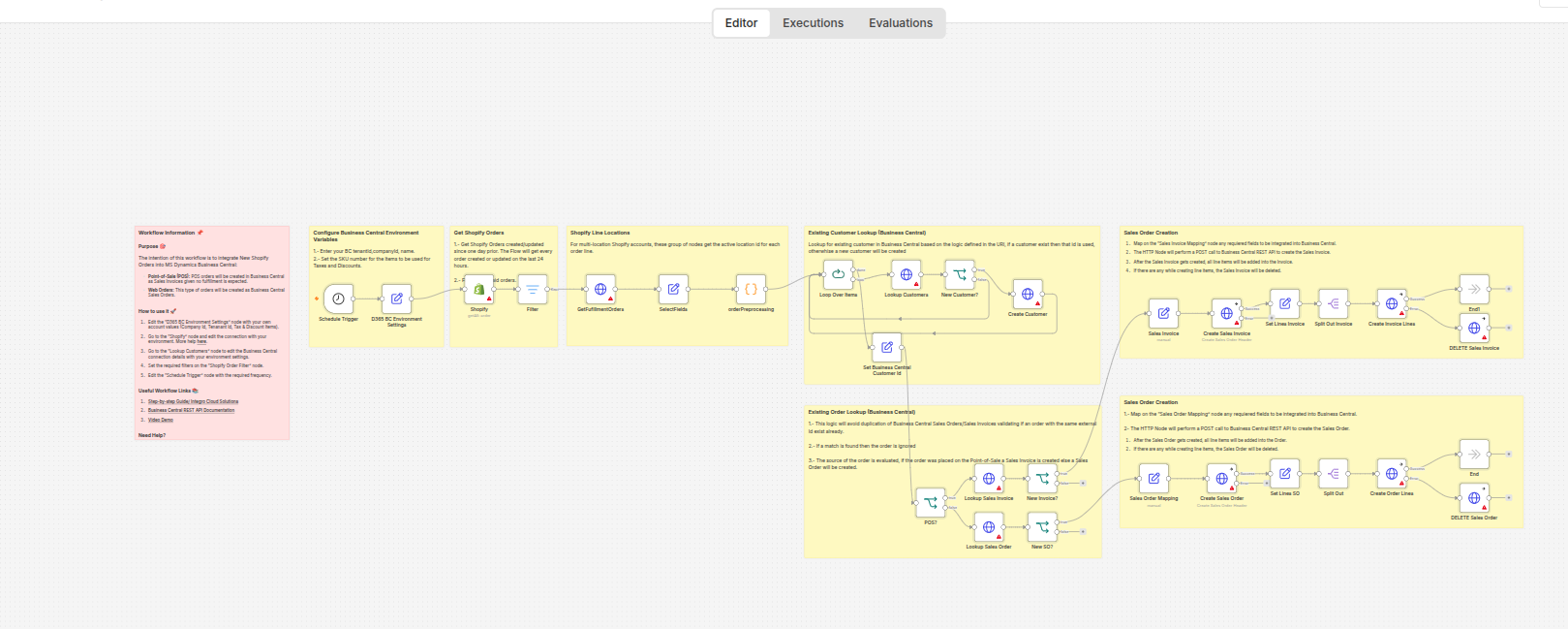
Shopify → Microsoft Dynamics 365 Business Central ERP Sync
Curated by n8n Markets team
Last updated: October 13, 2026
**Who it's for** E-commerce operations managers, Shopify store owners running on Microsoft Dynamics 365 Business Central, and accounting teams who need their storefront and ERP talking to each other without manual CSV exports. **How it works / What it does** This workflow synchronizes orders, customers, products, and inventory levels between Shopify and Microsoft Dynamics 365 Business Central in real time using webhooks. It handles bidirectional updates, currency mapping, and includes automatic error notification via email/Slack. **Key features** - Real-time webhook-driven sync (no polling) - Bidirectional customer + product mapping - Inventory level reconciliation - Currency conversion handling - Error logging and Slack alerts on sync failures - Idempotent (safe to replay) using external IDs **Setup time:** 15-30 min **How to set up** 1. Import the workflow JSON into your n8n instance 2. Configure Shopify webhook credentials 3. Set up Microsoft Dynamics 365 Business Central OAuth2 credentials 4. Map your Shopify product IDs to Dynamics 365 item numbers (or auto-create) 5. Activate the workflow **Requirements** - n8n instance (self-hosted or cloud) - Active Shopify store with admin API access - Microsoft Dynamics 365 Business Central tenant with API access - Slack workspace (optional, for error alerts) **License:** Single — use on one Shopify store
What's Included
- Complete n8n workflow with 39 nodes. Ready to import and customize.
Requirements
n8n instance (self-hosted or cloud). API credentials for connected services.
How to Use
1. Download the workflow JSON 2. Open n8n → Import → drag the file in 4. Activate
Apps in this n8n workflow
How to import this template into n8n
- Download the workflow JSON file from this page.
- In n8n, open Workflows, create a new workflow and choose Import from File.
- Open each node that shows a warning and connect your own credentials.
- Run the workflow once manually to check the output before you activate it.
- Importable n8n workflow JSON file
- Download with Builder Pro or Agency Unlimited
- Built for n8n v1.0++
- Setup time: 15-30 min
Included in Builder Pro — $19/mo, 4,177 premium workflows
Before you activate
Templates are reviewed before they are listed. Test with your own credentials and data before running it in production.
100% Secure Checkout
Refund requests within 7 days of a new subscription
Dependencies & Requirements
⚠️ 1 service require credentials. Make sure you have accounts set up before importing.
0 reviews
No reviews yet.
Questions & Answers
Log in to ask a question.
No questions yet. Be the first to ask!
People Also Bought
Related E-commerce n8n templates
- Amazon Product Page (PDP) Deep Scraper via Firecrawl & Google Sheets
- E-commerce AI Operator — Your 24/7 AI Store Manager
- Récupération de panier abandonné multi-canal (Email + WhatsApp) pour Shopify
- Shopify Refund Risk Inbox
- E-Commerce Automation Pack
- Order Exception & Refund Approval Hub
- Gumroad Sale Notifier — n8n Workflow: Telegram + Google Sheets + Gmail
- Automated Shopify Order Fulfillment Engine