Recover Shopify Abandoned Carts with Email, SMS, WhatsApp & Facebook Retargeting
Curated by n8n Markets team
Last updated: March 8, 2026
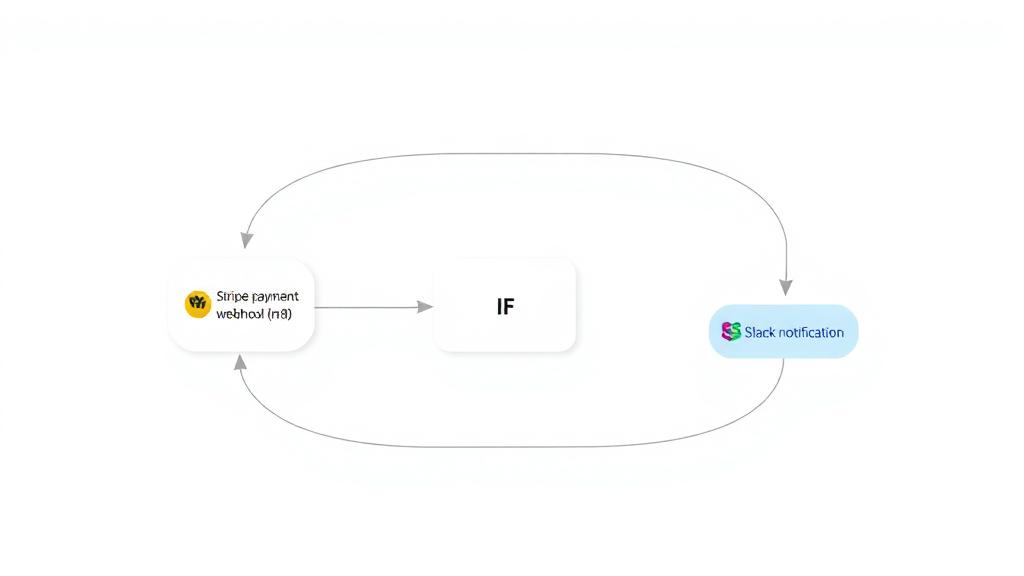
This workflow is a complete, production-ready solution for recovering abandoned carts in Shopify stores using a multi-channel, multi-touch approach. It automates personalized follow-ups via Email, SMS, and WhatsApp, tracks every customer interaction for multi-touch attribution, and enables advanced retargeting and analytics. Key features: - Multi-step, timed recovery sequence (Email → SMS → Email → WhatsApp) - Customer segmentation (new, returning, VIP) and A/B testing - Dynamic discounting and personalized messaging - Touchpoint logging to Google Sheets for attribution analysis - Facebook Custom Audience retargeting for unrecovered carts - Slack notifications for high-value cart recoveries --- ## What does this workflow do? 1. Listens for abandoned cart events from Shopify (or any e-commerce platform) via webhook. 2. Normalizes and enriches cart data by fetching full cart details and customer purchase history. 3. Predicts the likely reason for abandonment (e.g., price sensitivity, checkout complexity, technical issues) using rule-based logic. 4. Segments the customer (new, returning, VIP), assigns an A/B test group, and generates a personalized discount and checkout URL. 5. Runs a timed, multi-channel recovery sequence: - 1 hour after abandonment: Checks if the order is completed. If not, sends a personalized Email #1 and logs the touchpoint. - 4 hours after abandonment: Checks again. If not recovered, sends an SMS with a discount code and logs the touchpoint. - 24 hours after abandonment: Checks again. If not recovered, sends Email #2 (with social proof/urgency) and logs the touchpoint. - 48 hours after abandonment: Final check. If not recovered, sends a WhatsApp reminder and logs the touchpoint. 6. If the cart is still not recovered: Hashes customer identifiers and adds them to a Facebook Custom Audience for retargeting. 7. Logs every touchpoint (email, SMS, WhatsApp) to a Google Sheet for multi-touch attribution analysis. 8. Sends a Slack notification if a high-value cart is recovered. --- ## Why is this workflow useful? - Boosts recovery rates: By using multiple channels and personalized timing, you maximize the chance of recovering lost sales. - Improves attribution: Every customer interaction is logged, so you can analyze which channels and messages drive conversions. - Enables advanced retargeting: Unrecovered carts are automatically added to a Facebook Custom Audience for paid retargeting. - Saves time: Fully automated, with easy configuration for your store, messaging, and analytics. - Scalable and extensible: Easily adapt the sequence, add more channels, or integrate with other tools. --- ## How to install and configure ### 1. Prerequisites - n8n instance (v2.0.2+ recommended) - Shopify store with API access - Accounts and API credentials for: - SendGrid (email) - Twilio (SMS) - WhatsApp Business API - Google Sheets (service account) - Facebook Graph API (for Custom Audiences) - Slack (for notifications) ### 2. Setup steps 1. Import the workflow into your n8n instance. 2. Configure the “Workflow Configuration” node: - Set your Shopify domain, API URLs, Google Sheets ID, and high-value threshold. 3. Connect all required credentials in the respective nodes: - Shopify, SendGrid, Twilio, WhatsApp, Google Sheets, Facebook Graph API, Slack. 4. Create a Google Sheet named “Touchpoints” with columns: `cart_id`, `customer_id`, `touchpoint_type`, `timestamp`, `channel`, `ab_group`. 5. Set up the webhook in your Shopify store (or e-commerce platform) to trigger the workflow on cart abandonment. 6. Test the workflow with a sample abandoned cart event to ensure emails, SMS, WhatsApp, and logging work as expected. 7. Enable the workflow in n8n for live operation. --- ## Node-by-node breakdown - Abandoned Cart Webhook: Receives abandoned cart events. - Workflow Configuration: Stores global settings (API URLs, Shopify domain, Google Sheets ID, high-value threshold). - Normalize Cart Data: Cleans and standardizes incoming cart data. - Fetch Cart Details / Fetch Customer History: Enriches data with full cart and customer info. - Predict Abandonment Reason: Uses business logic to guess why the cart was abandoned. - Personalization Engine: Segments the customer, assigns A/B group, calculates discount, and builds checkout URL. - Customer Segment Check / Device Type Check: Applies routing logic for personalized messaging. - Wait / Check Order Status / Generate & Send Messages: Timed sequence for Email, SMS, and WhatsApp, with order status checks at each step. - Log Touchpoint (Google Sheets): Records every message sent for attribution. - Attribution Merge: Combines all touchpoints into a single journey for analysis. - Hash Customer Data for Facebook / Add to Retargeting Audience: Adds unrecovered carts to a Facebook Custom Audience. - Check Cart Value Threshold / Notify High-Value Recovery: Sends Slack alerts for high-value recoveries. --- ## Customization tips - Adjust
What's Included
- Complete n8n workflow template with 0 nodes. Ready to import and customize.
Requirements
n8n instance (self-hosted or cloud). credentials.
How to Use
1. Download the workflow JSON 2. Import into your n8n instance 3. Configure credentials for 4. Activate and enjoy automation
Apps in this n8n workflow
How to import this template into n8n
- Download the workflow JSON file from this page.
- In n8n, open Workflows, create a new workflow and choose Import from File.
- Open each node that shows a warning and connect your own credentials.
- Run the workflow once manually to check the output before you activate it.
- Importable n8n workflow JSON file
- Download with Builder Pro or Agency Unlimited
- Built for n8n v1.0++
- Setup time: 5-15 min
Included in Builder Pro — $19/mo, 4,177 premium workflows
Before you activate
Templates are reviewed before they are listed. Test with your own credentials and data before running it in production.
100% Secure Checkout
Refund requests within 7 days of a new subscription
Dependencies & Requirements
⚠️ 1 service require credentials. Make sure you have accounts set up before importing.
0 reviews
No reviews yet.
Questions & Answers
Log in to ask a question.
No questions yet. Be the first to ask!
People Also Bought
Related Automation n8n templates
- Generate AI Videos with Google Veo3, Save to Google Drive and Upload to YouTube
- Scrape and summarize webpages with AI
- Create a Branded AI-Powered Website Chatbot
- Angie, Personal AI Assistant with Telegram Voice and Text
- AI agent chat
- Automated Web Scraping: email a CSV, save to Google Sheets & Microsoft Excel
- Respond to WhatsApp Messages with AI Like a Pro!
- Basic Automatic Gmail Email Labelling with OpenAI and Gmail API