Automated PR Code Reviews with GitHub, GPT-4, and Google Sheets Best Practices
Curated by n8n Markets team
Last updated: March 8, 2026
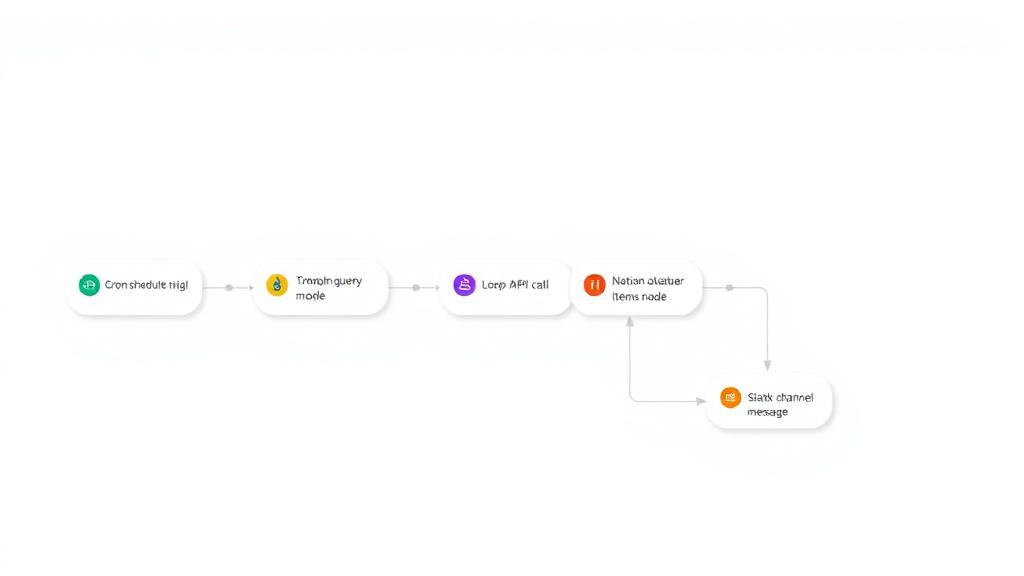
AI-Agent Code Review for GitHub Pull Requests # Description: This n8n workflow automates the process of reviewing code changes in GitHub pull requests using an OpenAI-powered agent. It connects your GitHub repo, extracts modified files, analyzes diffs, and uses an AI agent to generate a code review based on your internal code best practices (fed from a Google Sheet). It ends by posting the review as a comment on the PR and tagging it with a visual label like ✅ Reviewed by AI. 🔧 What It Does 1. Triggered on PR creation 3. Extracts code diffs from the PR 5. Formats and feeds them into an OpenAI prompt 7. Enriches the prompt using a Google Sheet of Swift best practices 9. Posts an AI-generated review as a comment on the PR 11. Applies a PR label to visually mark reviewed PRs ### ✅ Prerequisites Before deploying this workflow, ensure you have the following: - n8n Instance (Self-hosted or Cloud) - GitHub Repository with PR activity - OpenAI API Key for GPT-4o, GPT-4-turbo, or GPT-3.5 - GitHub OAuth App (or PAT) connected to n8n to post comments and access PR diffs - (*Optional*) Google Sheets API credentials if using the code best practices lookup node. ### ⚙️ Setup Instructions 1. Import the Workflow in n8n, click on Workflows → Import from file or JSON Paste or upload the JSON code of this template 2. Configure Triggers and Connections #### 🔁 GitHub Trigger - Node: PR Trigger - Repository: Select the GitHub repo(s) to monitor - Events: Set to pull_request - Auth: Use GitHub OAuth2 credentials #### 📥 HTTP Request Node: Get file's Diffs from PR *No authentication needed; it uses dynamic path from trigger* #### 🧠 OpenAI Model - Node: OpenAI Chat Model - Model: Select gpt-4o, gpt-4-turbo, or gpt-3.5-turbo - Credential: Provide your OpenAI API Key #### 🧑💻 Code Review Agent Node : Code Review Agent *Connected to OpenAI and optionally to tools like Google Sheets* #### 💬 GitHub Comment Poster *Uses GitHub API to post review comments back on PR* Node: GitHub Robot Credential: Use the agent Github account (OAuth or PAT) Repo : Pick your owen Github Repository #### 🏷️ PR Labeler (optional) *Adds label ReviewedByAI after successful comment* Node: Add Label to PR Label : you ca customize the label text of your owen tag. #### 📊 Google Sheet Best Practices config (optional) *Connects to a Google Sheet for coding guideline lookups, we can replace Google sheet by another tool or data base* - First prepare your best practices list with the clear description and the code bad/good examples - Add al the best practices in your Google Sheet - Configure the Code Best Practices node in the template : #### Credential : Use your Google Sheet account by OAuth2 #### URL : Add your Google Sheet document URL #### Sheet : Add the name of the best practices sheet
What's Included
- Complete n8n workflow template with 0 nodes. Ready to import and customize.
Requirements
n8n instance (self-hosted or cloud). credentials.
How to Use
1. Download the workflow JSON 2. Import into your n8n instance 3. Configure credentials for 4. Activate and enjoy automation
Apps in this n8n workflow
How to import this template into n8n
- Download the workflow JSON file from this page.
- In n8n, open Workflows, create a new workflow and choose Import from File.
- Open each node that shows a warning and connect your own credentials.
- Run the workflow once manually to check the output before you activate it.
- Importable n8n workflow JSON file
- Download with Builder Pro or Agency Unlimited
- Built for n8n v1.0++
- Setup time: 5-15 min
Included in Builder Pro — $19/mo, 4,177 premium workflows
Before you activate
Templates are reviewed before they are listed. Test with your own credentials and data before running it in production.
100% Secure Checkout
Refund requests within 7 days of a new subscription
Dependencies & Requirements
⚠️ 2 services require credentials. Make sure you have accounts set up before importing.
0 reviews
No reviews yet.
Questions & Answers
Log in to ask a question.
No questions yet. Be the first to ask!
People Also Bought
Related Data Processing n8n templates
- Chat with local LLMs using n8n and Ollama
- Creating an API endpoint
- Proxmox AI Agent with n8n and Generative AI Integration
- Scrape any web page into structured JSON data with ScrapeNinja and AI
- Generate SQL queries from schema only - AI-powered
- N8N for Beginners: Looping over Items
- 🐋DeepSeek V3 Chat & R1 Reasoning Quick Start
- WebSecScan: AI-Powered Website Security Auditor