Automated AI Content Creation & Instagram Publishing from Google Sheets
Curated by n8n Markets team
Last updated: March 8, 2026
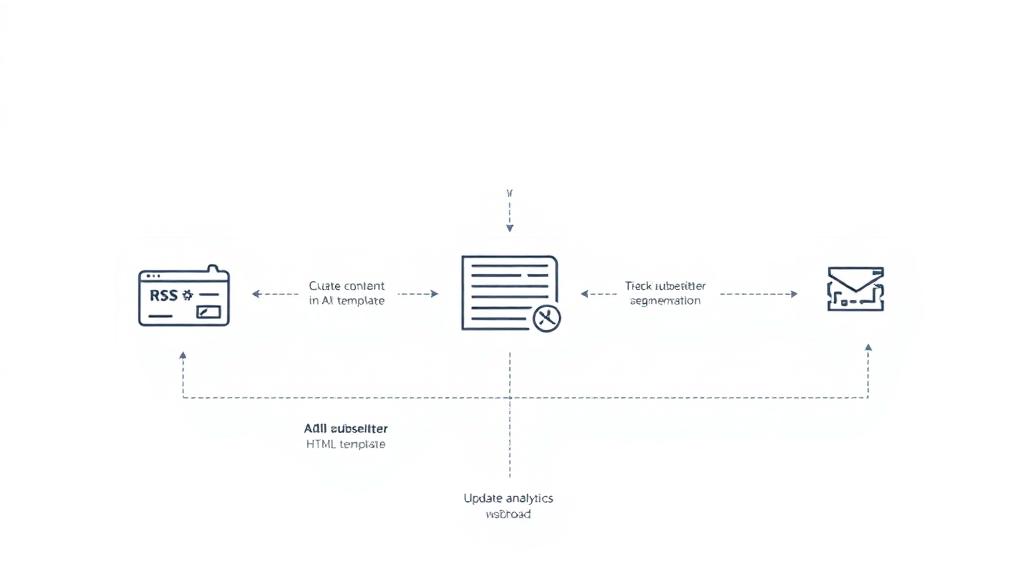
Automated AI Content Creation & Instagram Publishing from Google Sheets This n8n workflow automates the creation and publishing of social media content directly to Instagram, using ideas stored in a Google Sheet. It leverages AI (Google Gemini and Replicate Flux) to generate concepts, image prompts, captions, and the final image, turning your content plan into reality with minimal manual intervention. Think of this as the execution engine for your content strategy. It assumes you have a separate process (whether manual entry, another workflow, or a different tool) for populating the Google Sheet with initial post ideas (including Topic, Audience, Voice, and Platform). This workflow takes those ideas and handles the rest, from AI generation to final publication. What does this workflow do? This workflow streamlines the content execution process by: Automatically fetching unprocessed content ideas from a designated Google Sheet based on a schedule. Using Google Gemini to generate a platform-specific content concept (specifically for a 'Single Image' format). Generating two distinct AI image prompt options based on the concept using Gemini. Writing an engaging, platform-tailored caption (including hashtags) using Gemini, based on the first prompt option. Generating a visual image using the first prompt option via the Replicate API (using the Flux model). Publishing* the generated image and caption directly to a connected *Instagram Business account. Updating the status in the Google Sheet to mark the idea as completed, preventing reprocessing. Who is this for? Social Media Managers & Agencies: Automate the execution of your content calendar stored in Google Sheets. Marketing Teams: Streamline content production from planned ideas and ensure consistent posting schedules. Content Creators & Solopreneurs: Save significant time by automating the generation and publishing process based on your pre-defined ideas. Anyone using Google Sheets to plan social media content and wanting to automate the creative generation and posting steps with AI. Benefits Full Automation: From fetching planned ideas to Instagram publishing, automate the entire content execution pipeline. AI-Powered Generation: Leverage Google Gemini for creative concepts, prompts, and captions, and Replicate for image generation based on your initial topic. Content Calendar Execution: Directly turn your Google Sheet plan into published posts. Time Savings: Drastically reduce the manual effort involved in creating visuals and text for each planned post. Consistency: Maintain a regular posting schedule by automatically processing your queue of ideas. Platform-Specific Content: AI prompts are designed to tailor concepts, prompts, and captions for the platform specified in your sheet (e.g., Instagram or LinkedIn). How it Works Scheduled Trigger: The workflow starts automatically based on the schedule you set (e.g., every hour, daily). Fetch Idea: Reads the next row from your Google Sheet where the 'Status' column indicates it's pending (e.g., '0'). It only fetches one idea per run. Prepare Inputs: Extracts Topic, Audience, Voice, and Platform from the sheet data. AI Concept Generation (Gemini): Creates a single content concept suitable for a 'Single Image' post on the target platform. AI Prompt Generation (Gemini): Develops two detailed, distinct image prompt options based on the concept. AI Caption Generation (Gemini): Writes a caption tailored to the platform, using the first image prompt and other context. Image Generation (Replicate): Sends the first prompt to the Replicate API (Flux model) to generate the image. Prepare for Instagram: Formats the generated image URL and caption. Publish to Instagram: Uses the Facebook Graph API in three steps: Creates a media container by uploading the image URL and caption. Waits for Instagram to process the container. Publishes the processed container to your feed. Update Sheet: Changes the 'Status' in the Google Sheet for the processed row (e.g., to '1') to mark it as complete. n8n Nodes Used Schedule Trigger Google Sheets (Read & Update operations) Set (Multiple instances for data preparation) Langchain Chain - LLM (Multiple instances for Gemini calls) Langchain Chat Model - Google Gemini (Multiple instances) Langchain Output Parser - Structured (Multiple instances) HTTP Request (for Replicate API call) Wait Facebook Graph API (Multiple instances for Instagram publishing steps) Prerequisites Active n8n instance (Cloud or Self-Hosted). Google Account with access to Google Sheets. Google Sheets API Credentials (OAuth2): Configured in n8n. A Google Sheet structured with columns like Topic, Audience, Voice, Platform, Status (or similar). Ensure your 'pending' and 'completed' statuses are defined (e.g., '0' and '1'). Google Cloud Project with the Vertex AI API enabled. Google Gemini API Credentials: Configured in n8n (usually via Google Vertex AI credentials). Replicate Account and API Token. R
What's Included
- Complete n8n workflow template with 0 nodes. Ready to import and customize.
Requirements
n8n instance (self-hosted or cloud). credentials.
How to Use
1. Download the workflow JSON 2. Import into your n8n instance 3. Configure credentials for 4. Activate and enjoy automation
Apps in this n8n workflow
How to import this template into n8n
- Download the workflow JSON file from this page.
- In n8n, open Workflows, create a new workflow and choose Import from File.
- Open each node that shows a warning and connect your own credentials.
- Run the workflow once manually to check the output before you activate it.
- Importable n8n workflow JSON file
- Download with Builder Pro or Agency Unlimited
- Built for n8n v1.0++
- Setup time: 15-30 min
Included in Builder Pro — $19/mo, 4,177 premium workflows
Before you activate
Templates are reviewed before they are listed. Test with your own credentials and data before running it in production.
100% Secure Checkout
Refund requests within 7 days of a new subscription
Dependencies & Requirements
⚠️ 1 service require credentials. Make sure you have accounts set up before importing.
0 reviews
No reviews yet.
Questions & Answers
Log in to ask a question.
No questions yet. Be the first to ask!
People Also Bought
Related Automation n8n templates
- Generate AI Videos with Google Veo3, Save to Google Drive and Upload to YouTube
- Scrape and summarize webpages with AI
- Create a Branded AI-Powered Website Chatbot
- Angie, Personal AI Assistant with Telegram Voice and Text
- AI agent chat
- Automated Web Scraping: email a CSV, save to Google Sheets & Microsoft Excel
- Respond to WhatsApp Messages with AI Like a Pro!
- Basic Automatic Gmail Email Labelling with OpenAI and Gmail API