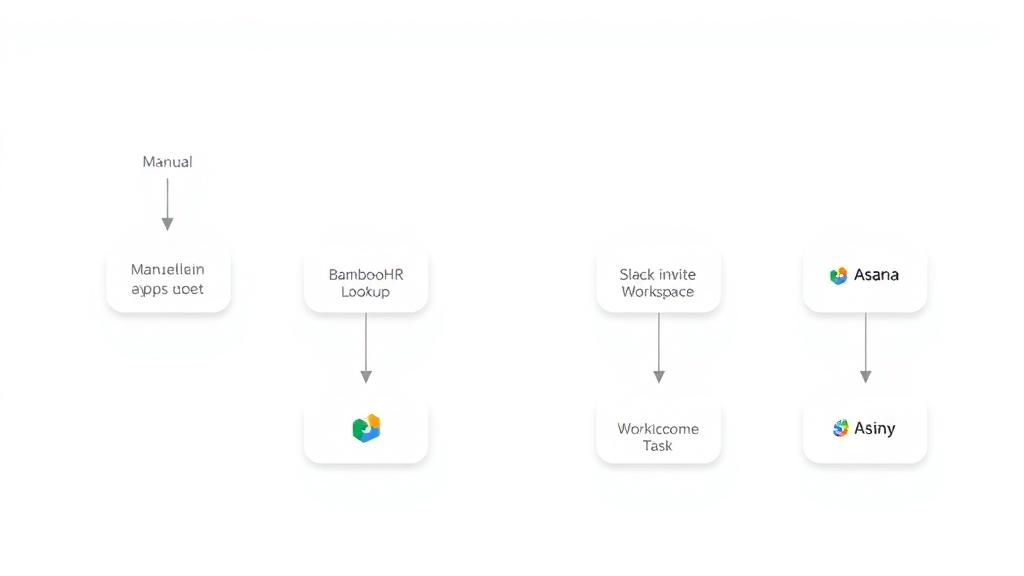
Automate Employee Onboarding with Slack, Jira, and Google Workspace Integration
Curated by n8n Markets team
Last updated: March 8, 2026
## Who is this for? This template is ideal for HR teams, startup founders, operations leads, remote-first companies, and freelancers managing onboarding manually or across multiple tools. Whether you’re hiring your first intern or streamlining onboarding for dozens of new team members, this workflow automates the entire trigger → task creation → onboarding delivery process using no-code tools connected via n8n. --- ## What problem does this solve? Employee onboarding is often fragmented and error-prone — involving Jira tasks, Slack DMs, file sharing, and email templates spread across different apps. This workflow connects it all, letting you create tasks, notify people, share folders, and message hires instantly — right when they’re marked as “Hired” in a Google Sheet or added to Slack. No more bouncing between 5 tabs. This is onboarding as a system. --- ## What this workflow does ✅ Watches a Google Sheet (or Slack trigger) for new hires 📋 Creates a Jira onboarding Epic with role-based subtasks 📂 Generates a Google Drive folder and shares it with the new hire 📬 Sends a personalized, HTML-formatted welcome email via Gmail 💬 Posts a Slack message in the #onboarding channel + DM to the hire 📊 Logs onboarding activity back to the Sheet (status, links, etc.) 🔁 Modular subtasks based on role/team (e.g. Dev vs Marketing vs Student) 🧠 Expressions, fallback logic, and Slack→Jira user ID mapping built-in --- ## Setup 1. Create API credentials for: - Slack - Google Sheets - Google Drive - Jira Cloud - Gmail (API or SMTP) 2. Import the `.json` workflow into your n8n instance (Cloud or self-hosted) 3. Replace placeholder values (e.g. Project ID, Issue Type ID, folder path) 4. Customize onboarding messages, email HTML, and task logic 5. Test with included mock data (sample hire, Slack user, Jira user) 6. Activate your flow and start onboarding with one click --- ## 🗒 Color-coded workflow notes This workflow uses Innovatio’s sticky note system to guide you visually: - 🟩 Green Notes → Main automation steps - 🟦 Blue Notes → What to customize (IDs, prompts, expressions) - 🟨 Yellow Notes → Optional logic and future upgrades - 🟫 Gray Notes → Welcome + final “next steps” CTA Every group includes pre-filled nodes, dynamic expressions, and mock outputs so you can test quickly and scale confidently. --- ## How to customize this workflow? 📂 Swap Google Sheets for Airtable (better for teams or approvals) 📅 Add 30/60/90-day check-ins via Google Calendar 🤖 Plug in OpenAI to generate onboarding subtasks by role 📬 Auto-assign mentors or SlackBot reminders after 7 days 📊 Push Sheet logs into Notion or your HR dashboard Need custom logic? Email me at velebit@innovatio.design --- ## Final notes This template was created by Velebit from Innovatio with modularity, scalability, and team experience in mind. All links included are official. No affiliate tracking, no sponsored content. 📜 A separate commercial license applies to the purchase via Gumroad, which includes extended rights, usage for client work, and scaling strategies.
What's Included
- Complete n8n workflow template with 0 nodes. Ready to import and customize.
Requirements
n8n instance (self-hosted or cloud). credentials.
How to Use
1. Download the workflow JSON 2. Import into your n8n instance 3. Configure credentials for 4. Activate and enjoy automation
Apps in this n8n workflow
How to import this template into n8n
- Download the workflow JSON file from this page.
- In n8n, open Workflows, create a new workflow and choose Import from File.
- Open each node that shows a warning and connect your own credentials.
- Run the workflow once manually to check the output before you activate it.
- Importable n8n workflow JSON file
- Download with Builder Pro or Agency Unlimited
- Built for n8n v1.0++
- Setup time: 5-15 min
Included in Builder Pro — $19/mo, 4,177 premium workflows
Before you activate
Templates are reviewed before they are listed. Test with your own credentials and data before running it in production.
100% Secure Checkout
Refund requests within 7 days of a new subscription
Dependencies & Requirements
⚠️ 1 service require credentials. Make sure you have accounts set up before importing.
0 reviews
No reviews yet.
Questions & Answers
Log in to ask a question.
No questions yet. Be the first to ask!
People Also Bought
Related Automation n8n templates
- Generate AI Videos with Google Veo3, Save to Google Drive and Upload to YouTube
- Scrape and summarize webpages with AI
- Create a Branded AI-Powered Website Chatbot
- Angie, Personal AI Assistant with Telegram Voice and Text
- AI agent chat
- Automated Web Scraping: email a CSV, save to Google Sheets & Microsoft Excel
- Respond to WhatsApp Messages with AI Like a Pro!
- Basic Automatic Gmail Email Labelling with OpenAI and Gmail API