Chat with Your HubSpot Data
Curated by n8n Markets team
Last updated: March 8, 2026
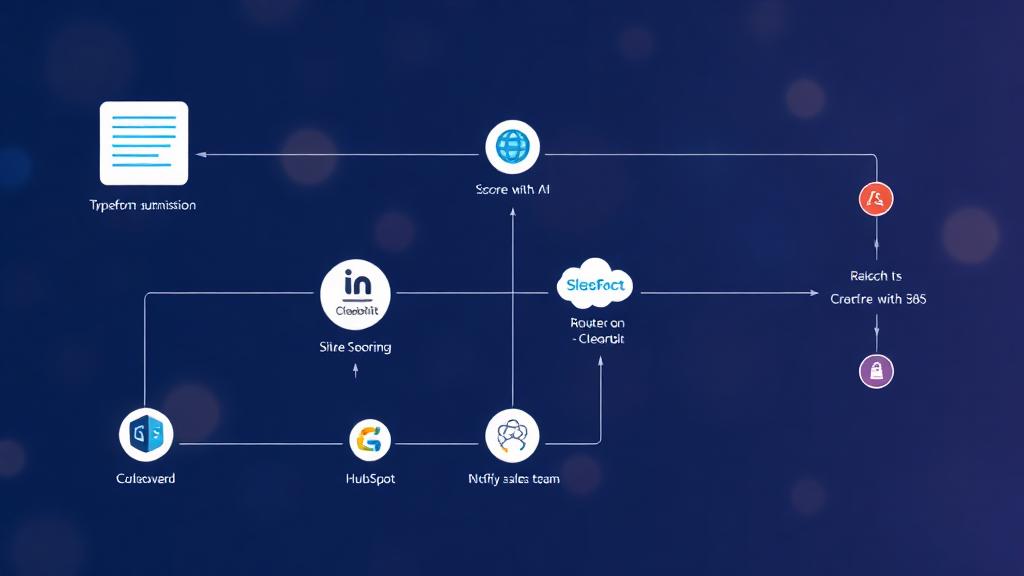
This n8n template gives you a chat-style assistant that can search your HubSpot CRM on demand. Ask natural-language questions like “show me leads in Germany” or “what deals close next month,” and the agent translates your request into precise HubSpot searches—then answers in plain English. Great for founders, AEs, and ops folks who want quick answers without clicking through the CRM. --- ## How it works * Chat trigger starts a session from your n8n chat UI or embed. * AI Agent (Gemini 2.5 Pro) interprets the message and: * Chooses the right HubSpot search (contacts or deals). * Fills filter property, operator (EQ, NEQ, GT, GTE, LT, LTE, BETWEEN, IN, NOT\_IN), and value(s). * Requests specific properties (email, name, lifecycle stage, owner, activity timestamps, etc.). * HubSpot tools execute live queries: * Contacts: flexible property filter + free-text `query`. * Deals: filters by owner and core deal fields (stage, amount, pipeline, close date). * Memory buffer keeps the last turns so you can say “now only show closed won over 10k” and the agent understands context. --- ## How to use 1. Connect credentials * HubSpot OAuth on both HubSpot Tool nodes. * Google Gemini API key on the Gemini Chat Model. 2. Open the chat (the “When chat message received” node). 3. Ask questions like: * “Find contacts named Hans created after Sept 1.” * “Deals owned by me in Proposal with amount > 10,000.” * “Contacts with lead status = New and no email reply in the last 14 days.” 4. Refine with follow-ups: * “Sort by most recently contacted.” * “Only Germany.” * “Show top 5 with emails.” --- ## Requirements * HubSpot (OAuth2) * Google Gemini (API key) --- ## Notes & customization * Property/operator control: The contact search node lets the agent set both the property (e.g., `email`, `lifecyclestage`, `hs_lead_status`) and the operator (EQ, IN, BETWEEN in epoch ms for dates, etc.). * Owner filtering for deals: Uses `hs_all_owner_ids`; swap or extend to filter by pipeline/stage ranges. * Guardrails: Add allowlists for searchable properties or cap result counts to avoid noisy answers. * Display format: Have the agent return concise tables (name, email, stage, last activity, CTA). * Handoffs: Add Slack/Email actions—e.g., “post this list to #sales” or “export to CSV.” * Telemetry: Log queries for later dashboards (common searches, coverage gaps). --- ## Troubleshooting * No results? Loosen operators (use `IN` lists, broaden dates) or include a free-text `query`. * Date filters: Provide epoch ms for GT/GTE/LT/LTE/BETWEEN on time fields (the agent handles this; keep system time in UTC). * Too chatty? Reduce memory window or ask the agent to summarize to bullet points.
What's Included
- Complete n8n workflow template with 0 nodes. Ready to import and customize.
Requirements
n8n instance (self-hosted or cloud). credentials.
How to Use
1. Download the workflow JSON 2. Import into your n8n instance 3. Configure credentials for 4. Activate and enjoy automation
Apps in this n8n workflow
How to import this template into n8n
- Download the workflow JSON file from this page.
- In n8n, open Workflows, create a new workflow and choose Import from File.
- Open each node that shows a warning and connect your own credentials.
- Run the workflow once manually to check the output before you activate it.
- Importable n8n workflow JSON file
- Download with Builder Pro or Agency Unlimited
- Built for n8n v1.0++
- Setup time: 5-15 min
Included in Builder Pro — $19/mo, 4,177 premium workflows
Before you activate
Templates are reviewed before they are listed. Test with your own credentials and data before running it in production.
100% Secure Checkout
Refund requests within 7 days of a new subscription
Dependencies & Requirements
⚠️ 1 service require credentials. Make sure you have accounts set up before importing.
0 reviews
No reviews yet.
Questions & Answers
Log in to ask a question.
No questions yet. Be the first to ask!
People Also Bought
Related Automation n8n templates
- Generate AI Videos with Google Veo3, Save to Google Drive and Upload to YouTube
- Scrape and summarize webpages with AI
- Create a Branded AI-Powered Website Chatbot
- Angie, Personal AI Assistant with Telegram Voice and Text
- AI agent chat
- Automated Web Scraping: email a CSV, save to Google Sheets & Microsoft Excel
- Respond to WhatsApp Messages with AI Like a Pro!
- Basic Automatic Gmail Email Labelling with OpenAI and Gmail API