Track job applications and prep interviews with Notion and GPT-5-mini
Curated by n8n Markets team
Last updated: March 8, 2026
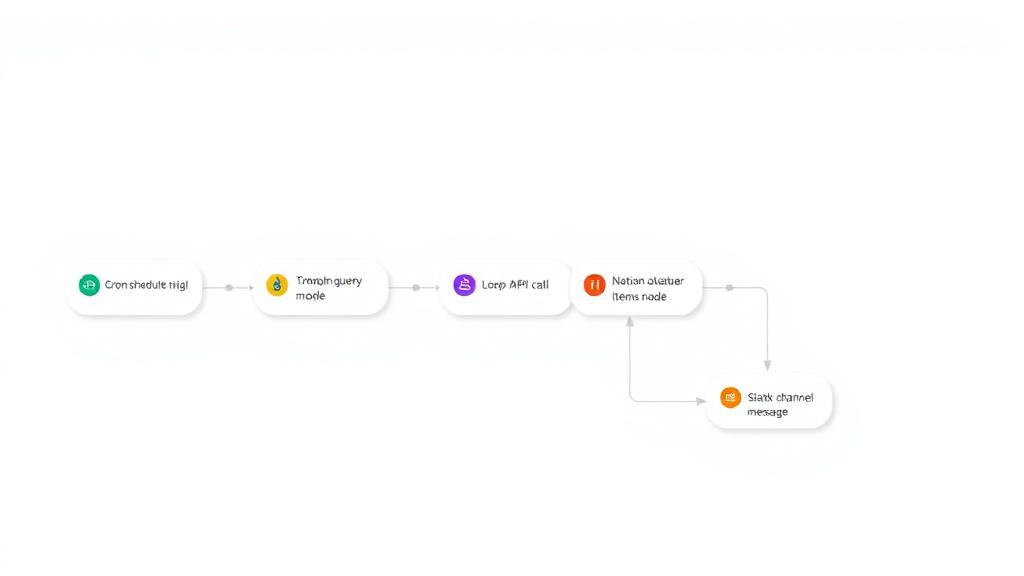
# AI job application tracker and interview prep assistant Categories: AI, Productivity, Career Transform your job search from chaos to clarity. This workflow automatically tracks every application, researches companies, and prepares you for interviews with AI-generated materials — all saved to a visual Notion pipeline. ## Benefits - Never lose track of applications — Every job gets logged automatically with status tracking - Walk into interviews prepared — AI generates likely questions, talking points, and company insights - Save 2-3 hours per application — Research and prep that took hours now happens in seconds - Automated follow-up reminders — Get notified when it's time to send that follow-up email ## How It Works 1. Submit application via form (paste job URL) or forward your confirmation email 2. AI extracts job details — company, role, requirements, salary, location 3. Interview prep generates — likely questions, suggested talking points, questions to ask 4. Everything saves to Notion — visual pipeline with follow-up dates 5. Daily reminders — Slack notification for applications needing follow-up ## Required Setup ### Notion Database Structure Create a Notion database with these properties: | Property Name | Type | Purpose | |---------------|------|---------| | Company | Title | Company name | | Role | Text | Job title | | Status | Select | Applied, Interviewing, Offer, Rejected, Ghosted | | Applied Date | Date | When you applied | | Salary Range | Text | Compensation info | | Job URL | URL | Link to posting | | Location | Text | City/Remote | | Interview Prep | Text | AI-generated prep materials | | Follow Up Date | Date | When to follow up | | Requirements | Text | Key job requirements | | Notes | Text | Your personal notes | ### Credentials Needed - OpenAI API — For job extraction and interview prep generation - Notion — Connected to your job tracker database - Gmail (optional) — For email forwarding and confirmations - Slack (optional) — For follow-up reminders ## Use Cases - Active job seekers — Track 20+ applications without spreadsheet chaos - Career changers — Get AI help understanding new industry requirements - Recent graduates — Build interview confidence with generated prep materials - Passive searchers — Keep a running list with minimal effort ## Set Up Steps 1. Import the workflow into your n8n instance 2. Create Notion database with the structure above (or duplicate template) 3. Connect OpenAI credentials — API key with GPT-5 access recommended 4. Connect Notion credentials — Select your job tracker database 5. Configure Gmail trigger (optional) — Set filter for forwarded job emails 6. Set up Slack webhook (optional) — Choose channel for reminders 7. Test with a sample job posting — Paste a LinkedIn or company careers page URL ### Customization Tips - Edit the interview prep prompt to mention your background/experience - Adjust the follow-up reminder interval (default: 7 days) - Add additional research sources (LinkedIn, Crunchbase) for richer company data - Connect to calendar to block interview prep time automatically ## Technical Notes - Uses Jina AI Reader for web scraping (free tier available) - GPT-5-mini recommended for cost efficiency - Notion text fields limited to 2000 characters (full prep saved) - Daily check runs at 9 AM (configurable) Difficulty Level: Intermediate Estimated Setup Time: 30-45 minutes Monthly Operating Cost: ~$2-5 (based on 50 applications/month with GPT-5-mini)
What's Included
- Complete n8n workflow template with 0 nodes. Ready to import and customize.
Requirements
n8n instance (self-hosted or cloud). credentials.
How to Use
1. Download the workflow JSON 2. Import into your n8n instance 3. Configure credentials for 4. Activate and enjoy automation
Apps in this n8n workflow
How to import this template into n8n
- Download the workflow JSON file from this page.
- In n8n, open Workflows, create a new workflow and choose Import from File.
- Open each node that shows a warning and connect your own credentials.
- Run the workflow once manually to check the output before you activate it.
- Importable n8n workflow JSON file
- Download with Builder Pro or Agency Unlimited
- Built for n8n v1.0++
- Setup time: 5-15 min
Included in Builder Pro — $19/mo, 4,177 premium workflows
Before you activate
Templates are reviewed before they are listed. Test with your own credentials and data before running it in production.
100% Secure Checkout
Refund requests within 7 days of a new subscription
Dependencies & Requirements
⚠️ 1 service require credentials. Make sure you have accounts set up before importing.
0 reviews
No reviews yet.
Questions & Answers
Log in to ask a question.
No questions yet. Be the first to ask!
People Also Bought
Related Automation n8n templates
- Generate AI Videos with Google Veo3, Save to Google Drive and Upload to YouTube
- Scrape and summarize webpages with AI
- Create a Branded AI-Powered Website Chatbot
- Angie, Personal AI Assistant with Telegram Voice and Text
- AI agent chat
- Automated Web Scraping: email a CSV, save to Google Sheets & Microsoft Excel
- Respond to WhatsApp Messages with AI Like a Pro!
- Basic Automatic Gmail Email Labelling with OpenAI and Gmail API