Screen and Score Resumes from Gmail to Sheets with AI
Curated by n8n Markets team
Last updated: March 8, 2026
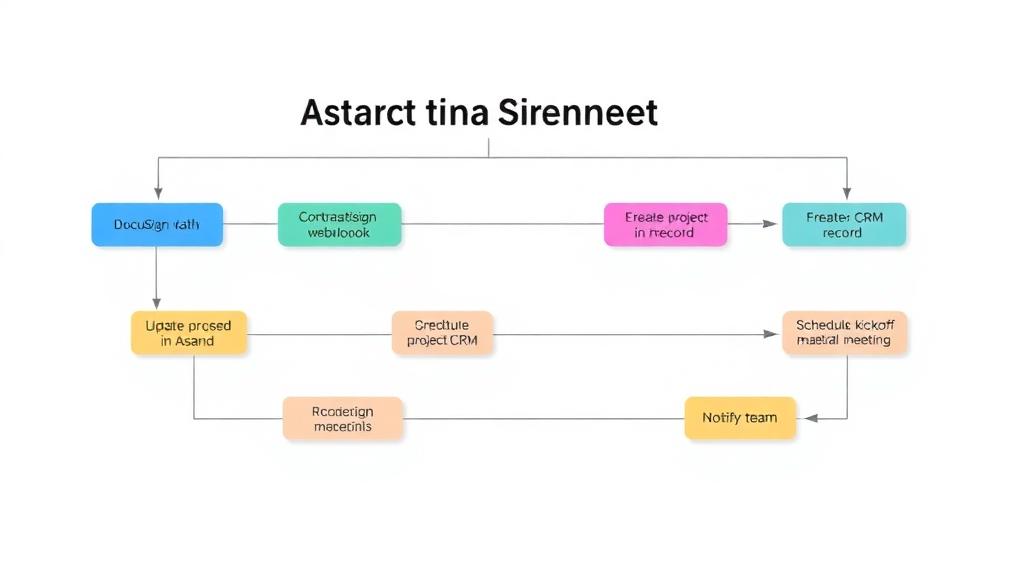
## Description This intelligent n8n automation streamlines the process of collecting, extracting, and scoring resumes sent to a Gmail inbox—making it an ideal solution for recruiters who regularly receive hundreds of applications. The workflow scans incoming emails with attachments, extracts relevant candidate information from resumes using AI, evaluates each candidate based on customizable criteria, and logs their scores alongside contact details in a connected Google Sheet. ## Who Is This For? - Recruiters & Hiring Managers: Automate the resume screening process and save hours of manual work. - HR Teams at Startups & SMBs: Quickly evaluate talent without needing large HR ops infrastructure. - Agencies & Talent Acquisition Firms: Screen large volumes of resumes efficiently and with consistent criteria. - Solo Founders Hiring for Roles: Use AI to help score and shortlist top candidates from email applications. ## What Problem Does This Workflow Solve? Manually reviewing resumes is time-consuming, error-prone, and inconsistent. This workflow solves these challenges by: - Automatically detecting and extracting resumes from Gmail attachments. - Using OpenAI to intelligently extract candidate info from unstructured PDFs. - Scoring resumes using customizable evaluation criteria (e.g., relevant experience, skills, education). - Logging all candidate data (Name, Email, LinkedIn, Score) in a centralized, filterable Google Sheet. - Enabling faster, fairer, and more efficient candidate screening. ## How It Works ### 1. Gmail Trigger - Runs on a scheduled interval (e.g., every 6 or 24 hours). - Scans a connected Gmail inbox (using OAuth credentials) for unread emails that contain PDF attachments. ### 2. Extract Attachments - Downloads the attached resumes from matching emails. ### 3. Parse Resume Text - Sends the PDF file to OpenAI's API (via GPT-4 or GPT-3.5 with file support or via base64 + PDF-to-text tool). - Prompts GPT with a structured format to extract fields like Name, Email, LinkedIn, Skills, and Education. ### 4. Score Resume - Evaluates the resume on predefined scoring logic using AI or logic inside the workflow (e.g., "Has X skill = +10 points"). ### 5. Log to Google Sheets - Appends a new row in a connected Google Sheet, including: - Candidate Name - Email Address - LinkedIn URL - Resume Score ## Setup ### Accounts & API Keys You’ll need accounts and credentials for: - n8n (hosted or self-hosted) - Google Cloud Platform (for Gmail, Drive, and Sheets APIs) - OpenAI (for GPT model access) ### Google Sheet - Make a Google Sheet and connect it via Google Sheets node in n8n. Columns should include: - Name - Email - LinkedIn - Score ## Configuration ### Google Cloud: - Enable Gmail API and Google Sheets API. - Set up OAuth 2.0 Credentials in Google Console. - Connect n8n Gmail, Drive, and Sheets nodes to these credentials. ### OpenAI: - Generate an API Key. - Use the HTTP Request node or official OpenAI node to send prompt requests. ### n8n Workflow: - Add Gmail Trigger. - Add extraction logic (e.g., filter PDFs). - Add OpenAI prompt for resume parsing and scoring. - Connect structured output to a Google Sheets node. ## Requirements ### Accounts: - n8n - Google (Gmail, Sheets, Drive, Cloud Console) - OpenAI ### API Keys & Credentials: - OpenAI API Key - Google Cloud OAuth Credentials - Gmail Access Scopes (for reading attachments) - Configured Google Sheet - OpenAI usage (after free tier) - Google Cloud API usage (if exceeding free quota)
What's Included
- Complete n8n workflow template with 0 nodes. Ready to import and customize.
Requirements
n8n instance (self-hosted or cloud). credentials.
How to Use
1. Download the workflow JSON 2. Import into your n8n instance 3. Configure credentials for 4. Activate and enjoy automation
Apps in this n8n workflow
How to import this template into n8n
- Download the workflow JSON file from this page.
- In n8n, open Workflows, create a new workflow and choose Import from File.
- Open each node that shows a warning and connect your own credentials.
- Run the workflow once manually to check the output before you activate it.
- Importable n8n workflow JSON file
- Download with Builder Pro or Agency Unlimited
- Built for n8n v1.0++
- Setup time: 5-15 min
Included in Builder Pro — $19/mo, 4,177 premium workflows
Before you activate
Templates are reviewed before they are listed. Test with your own credentials and data before running it in production.
100% Secure Checkout
Refund requests within 7 days of a new subscription
Dependencies & Requirements
⚠️ 1 service require credentials. Make sure you have accounts set up before importing.
0 reviews
No reviews yet.
Questions & Answers
Log in to ask a question.
No questions yet. Be the first to ask!
People Also Bought
Related Automation n8n templates
- Generate AI Videos with Google Veo3, Save to Google Drive and Upload to YouTube
- Scrape and summarize webpages with AI
- Create a Branded AI-Powered Website Chatbot
- Angie, Personal AI Assistant with Telegram Voice and Text
- AI agent chat
- Automated Web Scraping: email a CSV, save to Google Sheets & Microsoft Excel
- Respond to WhatsApp Messages with AI Like a Pro!
- Basic Automatic Gmail Email Labelling with OpenAI and Gmail API