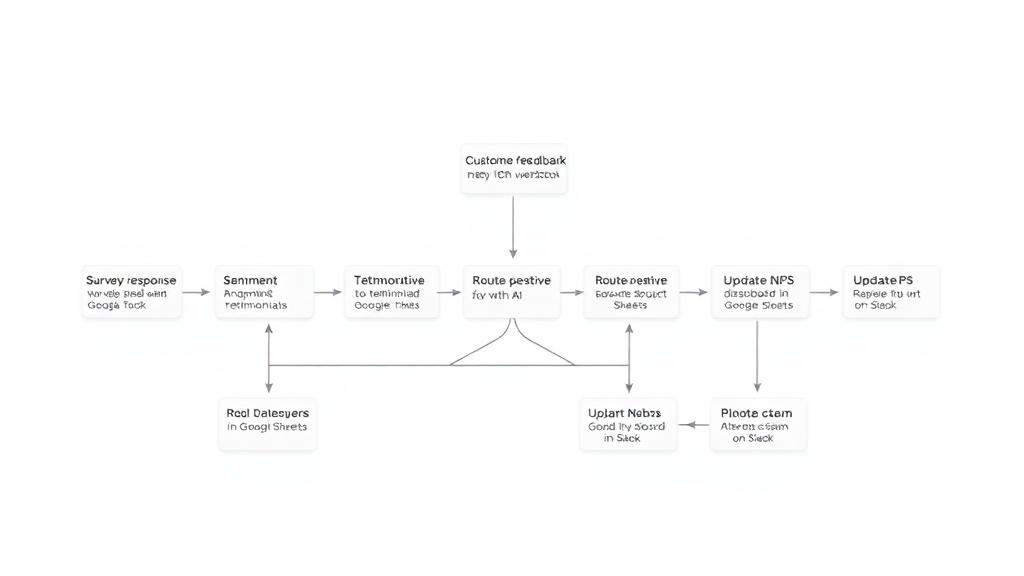
Automated Job Market Tracker: Upwork Scraper to Google Sheets Workflow
Curated by n8n Markets team
Last updated: March 8, 2026
# 🚀 Automated Job Market Tracker: Upwork Scraper to Google Sheets Workflow! ## Workflow Overview This cutting-edge n8n automation is a sophisticated job market intelligence tool designed to transform freelance job tracking into a seamless, data-driven process. By intelligently connecting Apify, data processing, and Google Sheets, this workflow: 1. Discovers Job Opportunities: - Automatically scrapes Upwork job listings - Tracks recent freelance postings - Eliminates manual job market research 2. Intelligent Data Processing: - Filters and extracts key job details - Structures job information - Ensures comprehensive opportunity tracking 3. Seamless Data Logging: - Automatically updates Google Sheets - Creates real-time job market database - Enables rapid market trend analysis 4. Scheduled Intelligence Gathering: - Periodic automated tracking - Consistent job listing updates - Zero manual intervention required ## Key Benefits - 🤖 Full Automation: Zero-touch job market research - 💡 Smart Filtering: Targeted job opportunity insights - 📊 Comprehensive Tracking: Detailed freelance market intelligence - 🌐 Multi-Source Synchronization: Seamless data flow ## Workflow Architecture ### 🔹 Stage 1: Job Discovery - Scheduled Trigger: Periodic market scanning - Apify Integration: Upwork job scraping - Intelligent Filtering: - Recent job postings - Specific keywords - Relevant opportunities ### 🔹 Stage 2: Data Extraction - Comprehensive Job Metadata Parsing - Key Information Retrieval - Structured Data Preparation ### 🔹 Stage 3: Data Logging - Google Sheets Integration - Automatic Row Appending - Real-Time Database Updates ## Potential Use Cases - Freelancers: Market trend tracking - Job Seekers: Opportunity intelligence - Recruitment Agencies: Market analysis - Skill Development Professionals: Skill demand monitoring - Business Strategists: Labor market insights ## Setup Requirements 1. Apify - Upwork scraping actor - API token - Configured scraping parameters 2. Google Sheets - Connected Google account - Prepared job tracking spreadsheet - Appropriate sharing settings 3. n8n Installation - Cloud or self-hosted instance - Workflow configuration - API credential management ## Future Enhancement Suggestions - 🤖 Advanced job matching algorithms - 📊 Multi-platform job aggregation - 🔔 Customizable alert mechanisms - 🌐 Expanded job category tracking - 🧠 Machine learning job recommendation ## Technical Considerations - Implement robust error handling - Use secure API authentication - Maintain flexible data processing - Ensure compliance with platform guidelines ## Ethical Guidelines - Respect job poster privacy - Use data for legitimate research - Maintain transparent information gathering - Provide proper attribution ## Hashtag Performance Boost 🚀 #FreelanceJobTracking #JobMarketIntelligence #WorkflowAutomation #CareerTech #MarketResearch #JobInsights #SkillsDemand #TechInnovation #DataDrivenCareer #ProfessionalGrowth ## Workflow Visualization ```plaintext [Scheduled Trigger] ⬇️ [Fetch Upwork Jobs] ⬇️ [Format Job Data] ⬇️ [Log to Google Sheets] ``` ## Connect With Me Ready to revolutionize your job market research? 📧 Email: Yaron@nofluff.online 🎥 YouTube: [@YaronBeen](https://www.youtube.com/@YaronBeen/videos) 💼 LinkedIn: [Yaron Been](https://www.linkedin.com/in/yaronbeen/) Transform your job market intelligence with intelligent, automated workflows!
What's Included
- Complete n8n workflow template with 0 nodes. Ready to import and customize.
Requirements
n8n instance (self-hosted or cloud). credentials.
How to Use
1. Download the workflow JSON 2. Import into your n8n instance 3. Configure credentials for 4. Activate and enjoy automation
Apps in this n8n workflow
How to import this template into n8n
- Download the workflow JSON file from this page.
- In n8n, open Workflows, create a new workflow and choose Import from File.
- Open each node that shows a warning and connect your own credentials.
- Run the workflow once manually to check the output before you activate it.
- Importable n8n workflow JSON file
- Download with Builder Pro or Agency Unlimited
- Built for n8n v1.0++
- Setup time: 5-15 min
Included in Builder Pro — $19/mo, 4,177 premium workflows
Before you activate
Templates are reviewed before they are listed. Test with your own credentials and data before running it in production.
100% Secure Checkout
Refund requests within 7 days of a new subscription
Dependencies & Requirements
⚠️ 1 service require credentials. Make sure you have accounts set up before importing.
0 reviews
No reviews yet.
Questions & Answers
Log in to ask a question.
No questions yet. Be the first to ask!
People Also Bought
Related Automation n8n templates
- Generate AI Videos with Google Veo3, Save to Google Drive and Upload to YouTube
- Scrape and summarize webpages with AI
- Create a Branded AI-Powered Website Chatbot
- Angie, Personal AI Assistant with Telegram Voice and Text
- AI agent chat
- Automated Web Scraping: email a CSV, save to Google Sheets & Microsoft Excel
- Respond to WhatsApp Messages with AI Like a Pro!
- Basic Automatic Gmail Email Labelling with OpenAI and Gmail API