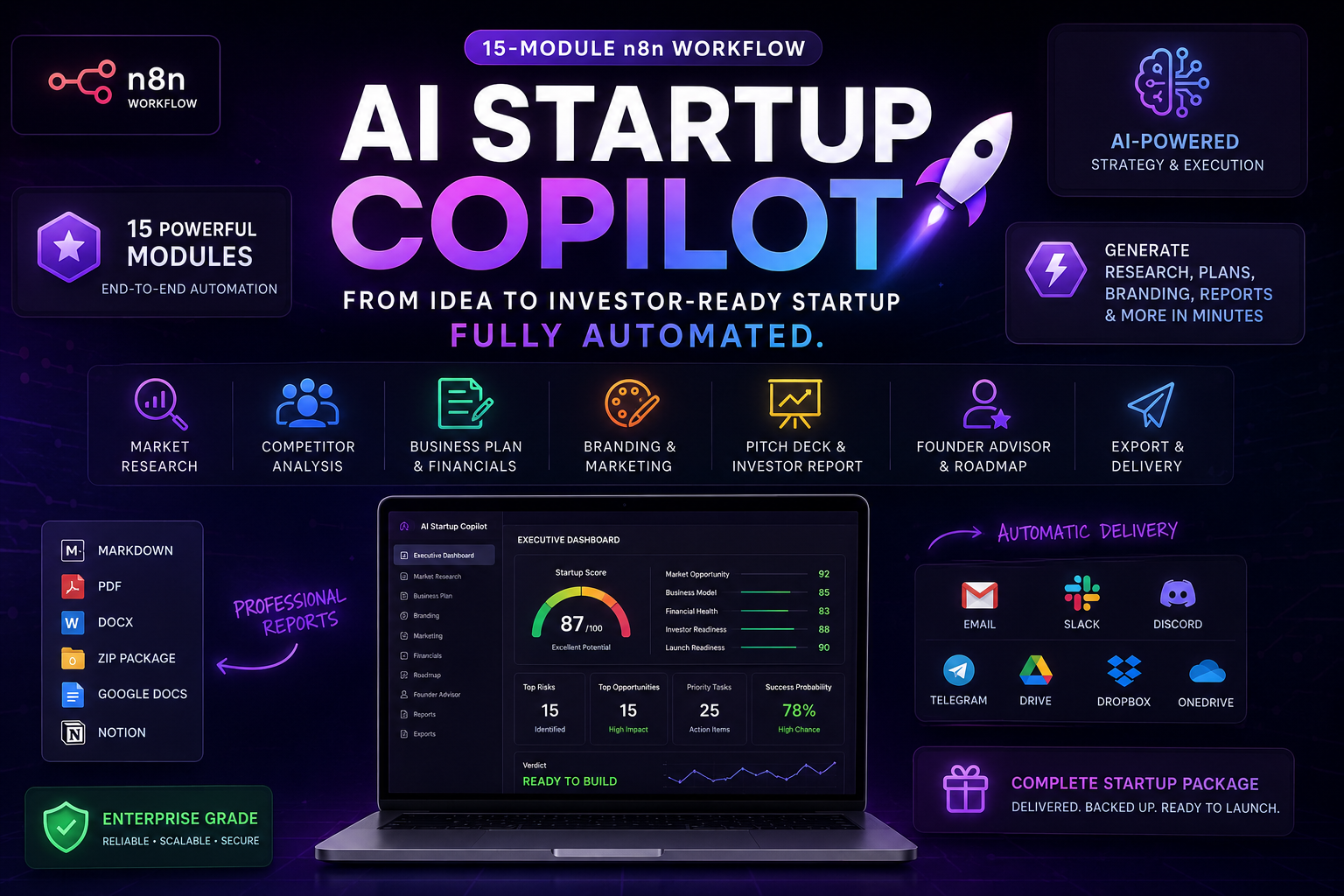
AI Startup Copilot – Complete 15-Module AI Startup Operating System
Curated by n8n Markets team
Last updated: August 5, 2026
Transform any startup idea into a complete, investor-ready business with one powerful n8n workflow. AI Startup Copilot is a premium, enterprise-grade automation designed for founders, entrepreneurs, agencies, consultants, incubators, and innovation teams. Instead of using multiple AI tools and manually assembling documents, this workflow guides your idea through a complete startup creation process—from concept validation to professional business reports and automated delivery. The workflow combines advanced AI reasoning, structured analysis, market intelligence, business strategy, financial planning, branding, marketing, founder advisory, professional report generation, and cloud delivery into one seamless automation. Whether you're validating your next SaaS, preparing for investors, building an agency client proposal, or creating startup documentation at scale, AI Startup Copilot automates the entire process while keeping every step organized inside n8n. Designed with modular architecture, the workflow is easy to understand, customize, and extend while remaining production-ready for commercial use.
What's Included
- 🧠 AI Startup Planning
- Startup idea analysis
- Business model generation
- Value proposition creation
- Problem & solution definition
- Customer persona creation
- Target audience analysis
- Market segmentation
- Industry insights
- 📊 Market Research
- TAM, SAM & SOM estimation
- Competitor analysis
- SWOT analysis
- Market trends
- Opportunity analysis
- Competitive positioning
- Blue Ocean opportunities
- 💰 Business & Financial Planning
- Revenue model
- Pricing strategy
- Cost estimation
- Financial projections
- Break-even analysis
- Unit economics
- Funding recommendations
- Investor readiness scoring
- 🎨 Branding & Marketing
- Brand identity recommendations
- Business name evaluation
- Positioning strategy
- Unique Selling Proposition (USP)
- Marketing strategy
- Customer acquisition channels
- Content strategy
- Launch plan
- 🚀 Product Strategy
- MVP planning
- Feature prioritization
- MoSCoW analysis
- RICE scoring
- ICE scoring
- Product roadmap
- Technical recommendations
- 👨💼 Founder Advisor
- Executive dashboard
- Startup scoring
- Risk assessment
- Opportunity analysis
- Team recommendations
- Action plans
- 12-month roadmap
- Personalized founder advice
- 📄 Professional Reports
- Automatically generates:
- Markdown Report
- PDF Report
- DOCX Report
- ZIP Package
- Google Docs Export
- Notion Export
- ☁️ Cloud Storage
- Supports automatic upload to:
- Google Drive
- Dropbox
- Microsoft OneDrive
- 📧 Notifications & Delivery
- Email delivery
- Slack notifications
- Discord notifications
- Telegram notifications
- Webhook response
- Download links
- 📦 Archive & Backup
- Project versioning
- Build history
- Backup copies
- Export history
- Audit logs
- Project archive
- ⚙️ Enterprise Features
- Modular architecture
- Retry handling
- Continue-on-fail support
- Structured outputs
- Error handling
- Commercial-quality workflow design
- Production-ready node organization
Requirements
Before importing the workflow, you'll need: Required n8n (v2.33.0 or newer recommended) OpenAI API Key (or another supported LLM provider) AI Model configured in n8n Optional Integrations Connect only the services you want to use: Google Drive Google Docs Notion Dropbox Microsoft OneDrive Slack Discord Telegram SMTP or Email provider Recommended Tavily API (for web research, if applicable) SerpAPI or another search provider (optional) Additional AI providers (Claude, Gemini, Groq, etc.) if you customize the workflow Note: Any nodes requiring third-party credentials are disabled until you connect your own accounts. This keeps the workflow portable and secure.
How to Use
Step 1 — Import Download the workflow JSON. Open your n8n instance. Click Import Workflow. Select the downloaded JSON file. Step 2 — Configure Credentials Connect the credentials for the services you plan to use, such as: AI provider Google Drive Google Docs Notion Email Slack Discord Telegram Dropbox OneDrive Unused integrations can remain disabled. Step 3 — Configure AI Choose your preferred AI model by updating the AI nodes with your provider credentials. Examples: OpenAI Claude Gemini Groq OpenRouter Any compatible LLM supported by n8n Step 4 — Start the Workflow Provide your startup idea or project details as the workflow input, then execute the workflow. The automation will process the information through all 15 modules, generating a complete startup package. Step 5 — Review the Results The workflow automatically produces: Business strategy Market research Financial planning Branding recommendations Founder advisory Professional reports Exported documents Cloud backups (if configured) Team notifications (if configured) Step 6 — Customize (Optional) The modular design allows you to: Replace AI providers Add new report sections Integrate additional APIs Connect CRMs Extend notification channels Adapt the workflow for agency or client-specific use cases
Apps in this n8n workflow
How to import this template into n8n
- Download the workflow JSON file from this page.
- In n8n, open Workflows, create a new workflow and choose Import from File.
- Open each node that shows a warning and connect your own credentials.
- Run the workflow once manually to check the output before you activate it.
- Importable n8n workflow JSON file
- Download with Builder Pro or Agency Unlimited
- Built for n8n v2++
- Setup time: 15 minutes
Included in Builder Pro — $19/mo, 4,177 premium workflows
Before you activate
Templates are reviewed before they are listed. Test with your own credentials and data before running it in production.
100% Secure Checkout
Refund requests within 7 days of a new subscription
0 reviews
No reviews yet.
Questions & Answers
Log in to ask a question.
No questions yet. Be the first to ask!
People Also Bought
Related Automation n8n templates
- Generate AI Videos with Google Veo3, Save to Google Drive and Upload to YouTube
- Scrape and summarize webpages with AI
- Create a Branded AI-Powered Website Chatbot
- Angie, Personal AI Assistant with Telegram Voice and Text
- AI agent chat
- Automated Web Scraping: email a CSV, save to Google Sheets & Microsoft Excel
- Respond to WhatsApp Messages with AI Like a Pro!
- Basic Automatic Gmail Email Labelling with OpenAI and Gmail API