AI Youtube Trend Finder Based On Niche
Curated by n8n Markets team
Last updated: March 8, 2026
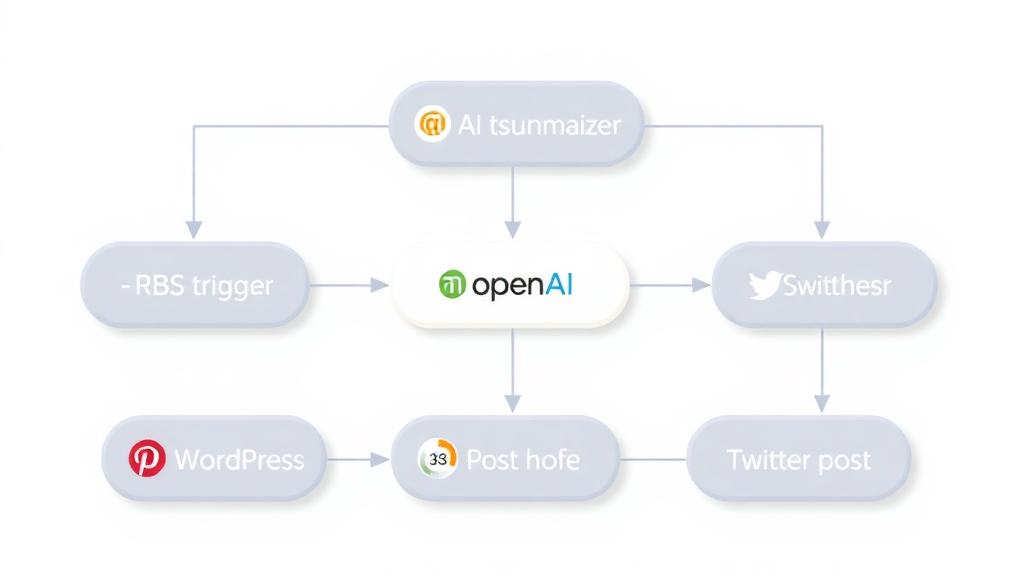
[Youtube Video](https://youtu.be/Eh5OeyrYlK8) This n8n workflow is designed to assist YouTube content creators in identifying trending topics within a specific niche. By leveraging YouTube's search and data APIs, it gathers and analyzes video performance metrics from the past two days to provide insights into what content is gaining traction. Here's how the workflow operates: 1. Trigger Setup: The workflow begins when a user sends a query through the `chat_message_received` node. If no niche is provided, the AI prompts the user to select or input one. 2. AI Agent (Language Model): The central node utilizes a GPT-based AI agent to: - Understand the user's niche or content preferences. - Generate tailored search terms related to the niche. - Process YouTube API responses and summarize trends using insights such as common themes, tags, and audience engagement metrics (views, likes, and comments). 3. YouTube Search: The `youtube_search` node runs a secondary workflow to query YouTube for relevant videos published within the last two days. It retrieves basic video data such as video IDs, relevance scores, and publication dates. 4. Video Details Retrieval: The workflow fetches additional details for each video: - Video Snippet: Metadata like title, description, and tags. - Video Statistics: Metrics such as views, likes, and comments. - Content Details: Video duration, ensuring only content longer than 3 minutes and 30 seconds is analyzed. 5. Data Processing: - Video metadata is cleaned, sanitized, and stored in memory. - Tags, titles, and descriptions are analyzed to identify patterns and trends across multiple videos. 6. Output: The workflow compiles insights and presents them to the user, highlighting: - The most common themes or patterns within the niche. - URLs to trending videos and their respective channels. - Engagement statistics, helping the user understand the popularity of the content. ### Key Notes for Setup: - API Keys: Ensure valid YouTube API credentials are configured in the `get_videos`, `find_video_snippet`, `find_video_statistics`, and `find_video_data` nodes. - Memory Buffer: The `window_buffer_memory` node ensures the AI agent retains context during analysis, enhancing the quality of the generated insights. - Search Term Customization: The AI agent dynamically creates search terms based on the user’s niche to improve search precision. ### Use Case: This workflow is ideal for YouTubers or marketers seeking data-driven inspiration for creating content that aligns with current trends, maximizing the potential to engage their audience. ### Example Output: For the niche "digital marketing": - Trending Topic: Videos about "mental triggers" and "psychological marketing." - Tags: "SEO," "Conversion Rates," "Social Proof." - Engagement: Videos with over 200K views and high likes/comment ratios are leading trends. - Video links: - https://www.youtube.com/watch?v=video_id1 - https://www.youtube.com/watch?v=video_id2
What's Included
- Complete n8n workflow template with 0 nodes. Ready to import and customize.
Requirements
n8n instance (self-hosted or cloud). credentials.
How to Use
1. Download the workflow JSON 2. Import into your n8n instance 3. Configure credentials for 4. Activate and enjoy automation
How to import this template into n8n
- Download the workflow JSON file from this page.
- In n8n, open Workflows, create a new workflow and choose Import from File.
- Open each node that shows a warning and connect your own credentials.
- Run the workflow once manually to check the output before you activate it.
- Importable n8n workflow JSON file
- Download with Builder Pro or Agency Unlimited
- Built for n8n v1.0++
- Setup time: 15-30 min
Included in Builder Pro — $19/mo, 4,177 premium workflows
Before you activate
Templates are reviewed before they are listed. Test with your own credentials and data before running it in production.
100% Secure Checkout
Refund requests within 7 days of a new subscription
Dependencies & Requirements
⚠️ 1 service require credentials. Make sure you have accounts set up before importing.
0 reviews
No reviews yet.
Questions & Answers
Log in to ask a question.
No questions yet. Be the first to ask!
People Also Bought
Related Automation n8n templates
- Generate AI Videos with Google Veo3, Save to Google Drive and Upload to YouTube
- Scrape and summarize webpages with AI
- Create a Branded AI-Powered Website Chatbot
- Angie, Personal AI Assistant with Telegram Voice and Text
- AI agent chat
- Automated Web Scraping: email a CSV, save to Google Sheets & Microsoft Excel
- Respond to WhatsApp Messages with AI Like a Pro!
- Basic Automatic Gmail Email Labelling with OpenAI and Gmail API