Analyze Any Website with OpenAI And Get On-Page SEO Audit
Curated by n8n Markets team
Last updated: March 8, 2026
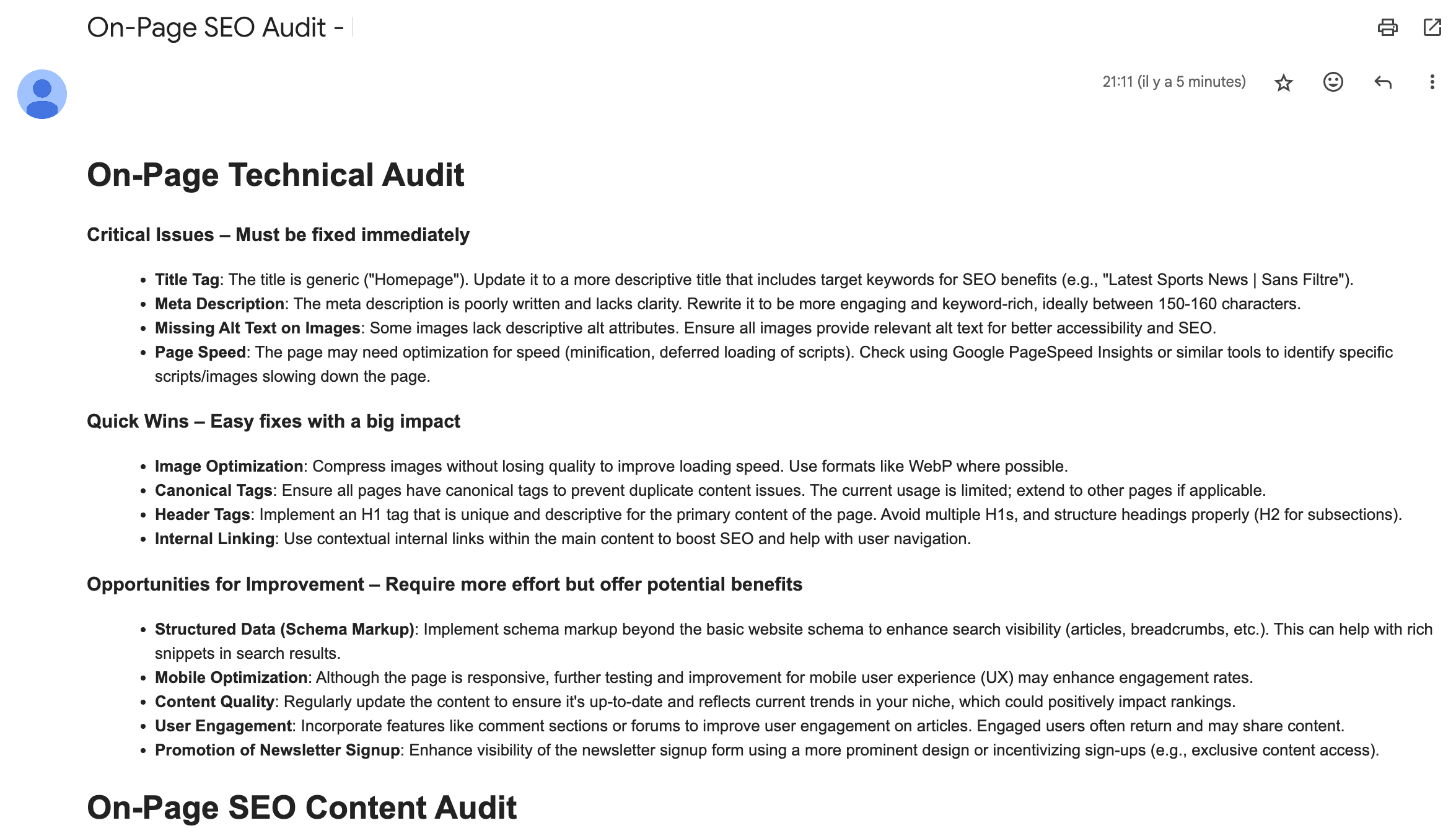
## Instantly Find & Fix What’s Holding Your Page Back You’ve put in the work. Your content is strong. Your design is polished. But… ❌ Your page isn’t ranking where it should. ❌ Your competitors are outranking you—even with weaker content. ❌ You have no idea what’s wrong—or how to fix it. The truth? SEO isn’t just about keywords. Your technical setup, content structure, and on-page elements must work together seamlessly. And if anything is off? Google won’t rank your page. ## Who Is This For? - SaaS Founders & Startups – Get higher rankings & organic traffic that converts. - Marketing Teams & Agencies – Audit & optimize pages in seconds. - E-commerce & Content Sites – Improve rankings for product pages, blogs, and landing pages. ## How It Works 1. Paste your URL 2. Get an instant audit + recommendations list 3. Implement changes & watch your rankings jump The workflow scrapes the url you input, gets the htlm source code of the landing page, and sends it to OpenAI AI Agent. The Agent makes a deep analysis, audit the Technical + Content SEO of the page, and provides 10 Recommendations to improve your SEO. ## Setup Guide You will need OpenAI Credentials with an API Key to run the workflow. The workflow is using the OpenAI-o1 model to deliver the best results. It costs between $0.20/0.30 per run. You can adjust the prompt to your wish in the AI Agent parameters. Once the audit has been completed, it will send an email (don't forget to add your email address here) ## Below is an example of what you can expect 
What's Included
- Complete n8n workflow template with 0 nodes. Ready to import and customize.
Requirements
n8n instance (self-hosted or cloud). credentials.
How to Use
1. Download the workflow JSON 2. Import into your n8n instance 3. Configure credentials for 4. Activate and enjoy automation
Apps in this n8n workflow
How to import this template into n8n
- Download the workflow JSON file from this page.
- In n8n, open Workflows, create a new workflow and choose Import from File.
- Open each node that shows a warning and connect your own credentials.
- Run the workflow once manually to check the output before you activate it.
- Importable n8n workflow JSON file
- Download with Builder Pro or Agency Unlimited
- Built for n8n v1.0++
- Setup time: 15-30 min
Included in Builder Pro — $19/mo, 4,177 premium workflows
Before you activate
Templates are reviewed before they are listed. Test with your own credentials and data before running it in production.
100% Secure Checkout
Refund requests within 7 days of a new subscription
Dependencies & Requirements
⚠️ 1 service require credentials. Make sure you have accounts set up before importing.
0 reviews
No reviews yet.
Questions & Answers
Log in to ask a question.
No questions yet. Be the first to ask!
People Also Bought
Related Automation n8n templates
- Generate AI Videos with Google Veo3, Save to Google Drive and Upload to YouTube
- Scrape and summarize webpages with AI
- Create a Branded AI-Powered Website Chatbot
- Angie, Personal AI Assistant with Telegram Voice and Text
- AI agent chat
- Automated Web Scraping: email a CSV, save to Google Sheets & Microsoft Excel
- Respond to WhatsApp Messages with AI Like a Pro!
- Basic Automatic Gmail Email Labelling with OpenAI and Gmail API