Automate Restaurant Marketing & Booking with Excel, VAPI Voice Agent & Calendar
Curated by n8n Markets team
Last updated: March 8, 2026
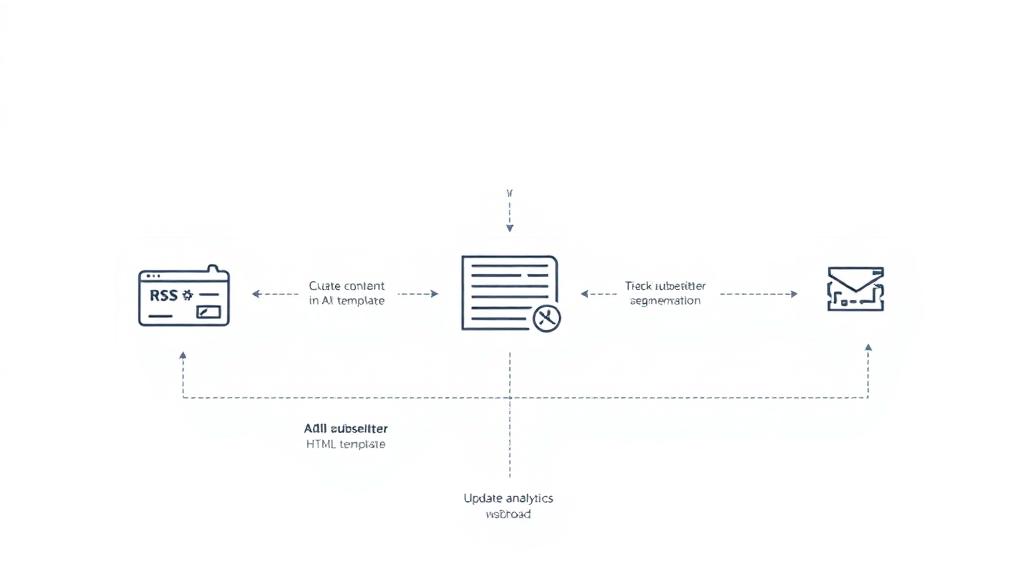
This n8n template demonstrates how to create a comprehensive marketing automation and booking system that combines Excel-based lead management with voice-powered customer interactions. The system utilizes VAPI for voice communication and Excel/Google Sheets for data management, making it ideal for restaurants seeking to automate marketing campaigns and streamline booking processes through intelligent voice AI technology. ## Good to know - Voice processing requires active VAPI subscription with per-minute billing - Excel operations are handled in real-time with immediate data synchronization - The system can handle multiple simultaneous voice calls and lead processing - All customer data is stored securely in Excel with proper formatting and validation - Marketing campaigns can be scheduled and automated based on lead data ## How it works ### Lead Management & Marketing Automation Workflow 1. New Lead Trigger: Excel triggers capture new leads when customers are added to the lead management spreadsheet 2. Lead Preparation: The system processes and formats lead data, extracting relevant details (name, phone, preferences, booking history) 3. Campaign Loop: Automated loop processes through multiple leads for batch marketing campaigns 4. Voice Marketing Call: VAPI initiates personalized voice calls to leads with tailored restaurant offers and booking invitations 5. Response Tracking: All call results and lead responses are logged back to Excel for campaign analysis ### Booking & Order Processing Workflow 1. Voice Response Capture: VAPI webhook triggers when customers respond to marketing calls or make direct booking requests 2. Response Storage: Customer responses and booking preferences are immediately saved to Excel sheets 3. Information Extraction: System processes natural language responses to extract booking details (party size, preferred times, special requests) 4. Calendar Integration: Booking information is automatically scheduled in restaurant management systems 5. Confirmation Loop: Automated follow-up voice messages confirm bookings and provide additional restaurant information ## Excel Sheet Structure ### Lead Management Sheet | Column | Description | |--------|-------------| | lead_id | Unique identifier for each lead | | customer_name | Customer's full name | | phone_number | Primary contact number | | email | Customer email address | | last_visit_date | Date of last restaurant visit | | preferred_cuisine | Customer's food preferences | | party_size_typical | Usual number of guests | | preferred_time_slot | Preferred dining times | | marketing_consent | Permission for marketing calls | | lead_source | How customer was acquired | | lead_status | Current status (new, contacted, converted, inactive) | | last_contact_date | Date of last marketing contact | | notes | Additional customer information | | created_at | Lead creation timestamp | ### Booking Responses Sheet | Column | Description | |--------|-------------| | response_id | Unique response identifier | | customer_name | Customer's name from call | | phone_number | Contact number used for call | | booking_requested | Whether customer wants to book | | party_size | Number of guests requested | | preferred_date | Requested booking date | | preferred_time | Requested time slot | | special_requests | Dietary restrictions or special occasions | | call_duration | Length of VAPI call | | call_outcome | Result of marketing call | | follow_up_needed | Whether additional contact is required | | booking_confirmed | Final booking confirmation status | | created_at | Response timestamp | ### Campaign Tracking Sheet | Column | Description | |--------|-------------| | campaign_id | Unique campaign identifier | | campaign_name | Descriptive campaign title | | target_audience | Lead segments targeted | | total_leads | Number of leads contacted | | successful_calls | Calls that connected | | bookings_generated | Number of bookings from campaign | | conversion_rate | Percentage of leads converted | | campaign_cost | Total VAPI usage cost | | roi | Return on investment | | start_date | Campaign launch date | | end_date | Campaign completion date | | status | Campaign status (active, completed, paused) | ## How to use 1. Setup: Import the workflow into your n8n instance and configure VAPI credentials 2. Excel Configuration: Set up Excel/Google Sheets with the required sheet structure provided above 3. Lead Import: Populate the Lead Management sheet with customer data from various sources 4. Campaign Setup: Configure marketing message templates in VAPI nodes to match your restaurant's branding 5. Testing: Test voice commands such as "I'd like to book a table for tonight" or "What are your specials?" 6. Automation: Enable triggers to automatically process new leads and schedule marketing campaigns 7. Monitoring: Track campaign performance through the Campaign Tracking sheet and adjust strategies accordingly The system can handle multiple concurrent voice ca
What's Included
- Complete n8n workflow template with 0 nodes. Ready to import and customize.
Requirements
n8n instance (self-hosted or cloud). credentials.
How to Use
1. Download the workflow JSON 2. Import into your n8n instance 3. Configure credentials for 4. Activate and enjoy automation
How to import this template into n8n
- Download the workflow JSON file from this page.
- In n8n, open Workflows, create a new workflow and choose Import from File.
- Open each node that shows a warning and connect your own credentials.
- Run the workflow once manually to check the output before you activate it.
- Importable n8n workflow JSON file
- Download with Builder Pro or Agency Unlimited
- Built for n8n v1.0++
- Setup time: 15-30 min
Included in Builder Pro — $19/mo, 4,177 premium workflows
Before you activate
Templates are reviewed before they are listed. Test with your own credentials and data before running it in production.
100% Secure Checkout
Refund requests within 7 days of a new subscription
Dependencies & Requirements
⚠️ 1 service require credentials. Make sure you have accounts set up before importing.
0 reviews
No reviews yet.
Questions & Answers
Log in to ask a question.
No questions yet. Be the first to ask!
People Also Bought
Related Automation n8n templates
- Generate AI Videos with Google Veo3, Save to Google Drive and Upload to YouTube
- Scrape and summarize webpages with AI
- Create a Branded AI-Powered Website Chatbot
- Angie, Personal AI Assistant with Telegram Voice and Text
- AI agent chat
- Automated Web Scraping: email a CSV, save to Google Sheets & Microsoft Excel
- Respond to WhatsApp Messages with AI Like a Pro!
- Basic Automatic Gmail Email Labelling with OpenAI and Gmail API